Extending your subscription beyond the trial period

Every new business gets 5 weeks of the PREMIUM plan free of charge. As the trial draws to a close, we’ll send you an email with a reminder and clear steps on how to continue using MyInvoiceOnline. The email always says which business it concerns.
There are two ways to renew your subscription:
via the email we’ll send you, or
directly in the MyInvoiceOnline.co.uk app, in your company settings
How to extend your plan:
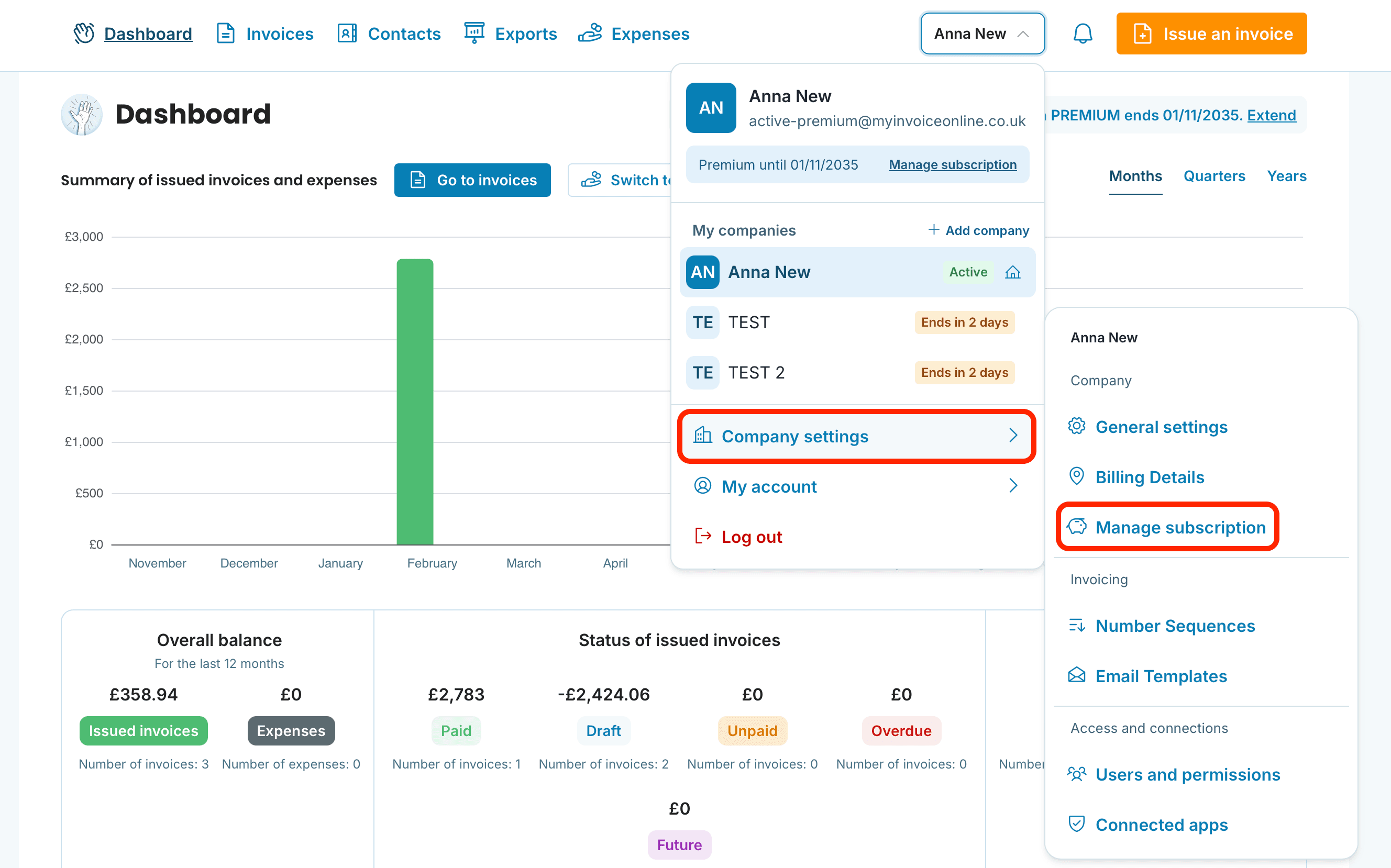
After logging in, click the business name in the top right. In the menu, you’ll see the Manage subscription link right under your current plan. You can also get there via Company settings → Manage subscription.
On the order page, you’ll see the MINI and PREMIUM plans side by side. The PREMIUM plan you used during the trial includes advanced tools such as editing issued invoices, batch actions and email templates. If you switch to MINI, invoices created during the trial will no longer be accessible. MINI keeps the essentials, like issuing invoices and sending or downloading them instantly. On the card of the plan you want, click the order button.
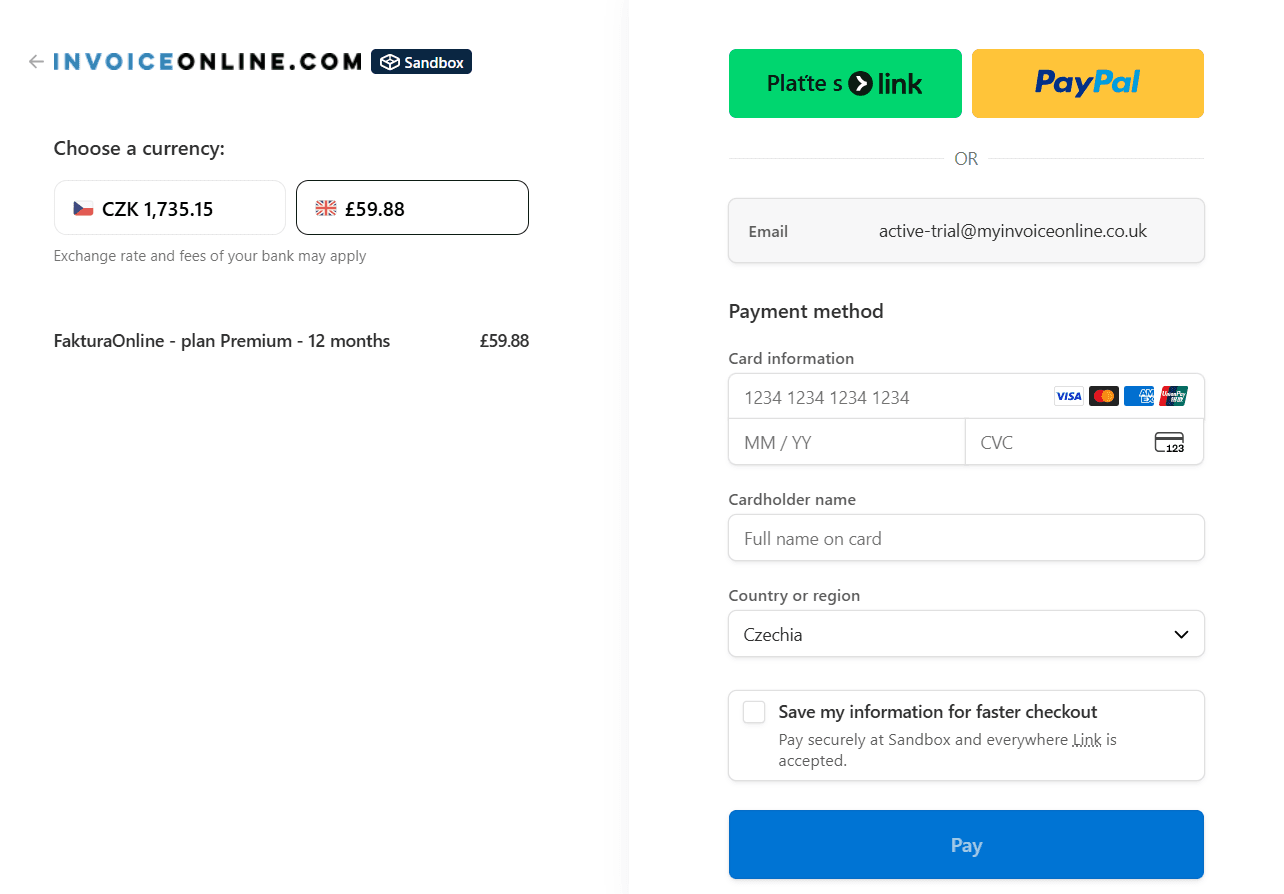
You’ll be redirected to a secure payment page. Once you’ve paid, your plan is activated immediately.
Several businesses under one login?
The trial and the plan always belong to a specific business, not to your whole login. Each business has its own plan and its own end date. Find out more in Multiple businesses under one login.

Before you open Manage subscription, check in the top right which business is selected. The plan is always ordered for the business you are currently in.
And that’s all there is to it! You’re now ready to make the most of what MyInvoiceOnline has to offer. We’ve also prepared helpful tutorials to guide you through invoicing with ease.

Something not working?
📩 Reach out to our support team at [email protected].