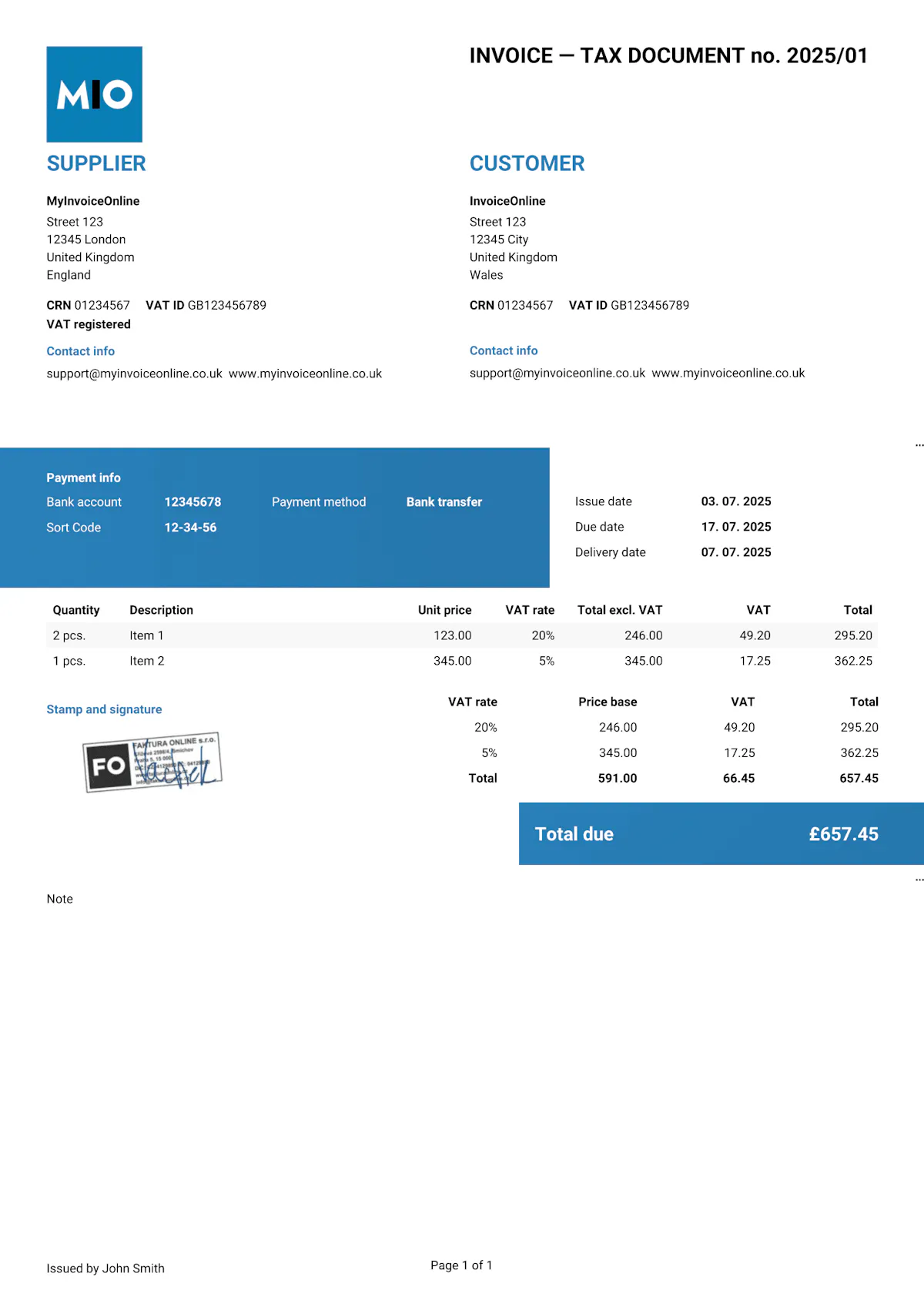
Invoice Template PDF
PDF is the standard format for sending invoices today – and for good reason. The document looks the same on every device, the recipient can't simply edit it, and it's easy to archive. But a PDF on its own isn't a tool for creating invoices. You first create the invoice in another programme and then export it to PDF – or you use MyInvoiceOnline.co.uk, where the PDF is generated automatically.



Why send invoices as PDF?
PDF (Portable Document Format) is the ideal format for invoicing, for several reasons:
Tamper-resistant – the recipient can't simply overwrite the amount, date or any other details. A PDF invoice serves as a reliable record for both parties.
Consistent appearance – unlike .docx or .xlsx files, a PDF is displayed identically on any computer, phone or tablet. No broken tables or shifted columns.
Easy to archive – PDF files are compact and straightforward to sort, back up and search through.
-
Universal compatibility – anyone can open a PDF, regardless of their operating system or installed software. You don't need Word, Excel or any other paid programme.

HMRC accepts invoices in PDF as valid records. As long as you store them securely and keep them accessible for the required retention period, you don't need to keep paper copies.
How do you create an invoice in PDF?
A PDF on its own doesn't let you build an invoice. There are three main ways to end up with an invoice in PDF:
1. Export from another programme
You create the invoice in Excel, Word or Google Docs and then export it to PDF. In this case, however, you need to manage the formatting, calculations and numbering yourself.
2. Fill in a PDF template
You can find ready-made PDF forms online where you type in the details directly. They're fine for one-off use, but for regular invoicing they're impractical – no formulas, no automatic numbering and no record keeping.
3. An online invoicing tool
Services like MyInvoiceOnline.co.uk generate the PDF automatically. You fill in the details, click a button – and you have a ready-made invoice in PDF with everything it needs: correct calculations, a professional look and automatic saving to your archive.

If you invoice regularly – even just a few invoices a month – creating PDFs by hand from Excel or Word will cost you more time than you'd save compared to an online tool.
What to watch out for with PDF invoices
PDF is the safest format for sending invoices, but there are still a few things to bear in mind:
Check before you export – once the PDF is generated, making changes is fiddly. Always review all the details in the original file first.
Export quality – when converting from Excel or Google Sheets, the table layout can break. Check the resulting PDF before you send it.
File size – if you include a high-resolution logo in the invoice, the PDF can grow considerably. Some email servers limit attachment sizes.
Editable PDFs – not every PDF is protected. If you create it as a form with fillable fields, the recipient can overwrite the details. Always export as a static (non-editable) PDF.

Heads up!
If you create an invoice in Excel, Word or Google Docs, always send it as a PDF – never as the original file (.xlsx, .docx, or a link to a Google document). Only a PDF guarantees that the recipient sees exactly what you issued.
With MyInvoiceOnline.co.uk, you don't need to worry about the format. Every invoice is automatically saved as a non-editable PDF with a professional look and correct calculations – with no risk of anything changing on its way to your customer.
Invoice like a professional.
Your customers will see that the invoice matches your brand.
Add your logo, brand colours or stamp in just a few seconds. The editable templates are easy to customise to suit your needs.

Your logo on every invoice
Upload your own logo and give every invoice a professional look that's unmistakably yours.

Your brand colours
Choose your brand colours so your invoices are consistent with your business's visual identity.

Add your stamp
Need a company stamp on your invoices? Simply upload it – it'll appear automatically in the right place.