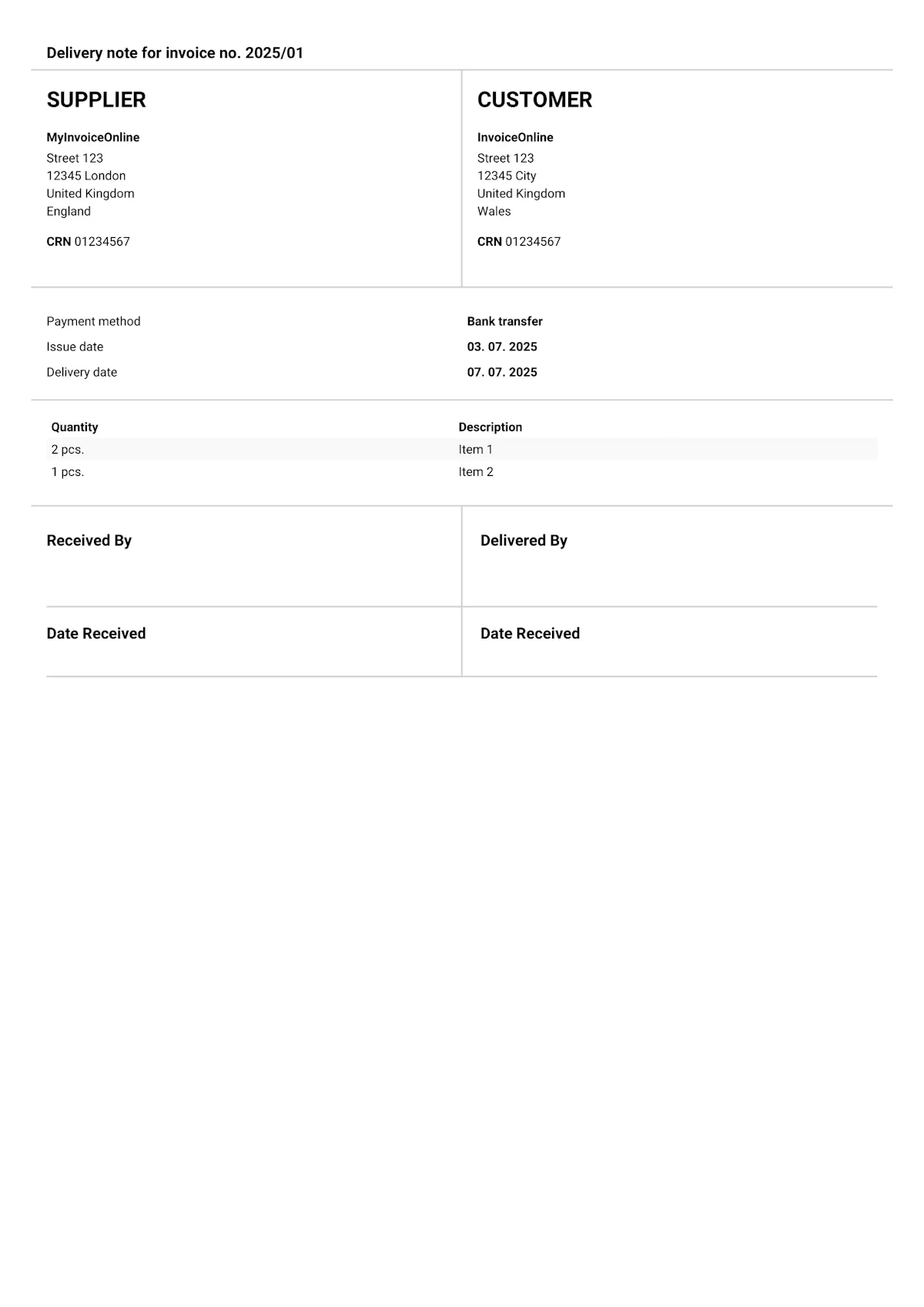
Delivery note template
A delivery note is a document that confirms goods have been physically handed over to the customer. It is not legally required in the UK, but in practice it is invaluable – it serves as proof of delivery, a basis for handling complaints and a tool for stock control. On MyInvoiceOnline.co.uk you can generate a delivery note directly from an existing invoice, so you don't need to create it separately.
What should a delivery note include?
A delivery note has no legally prescribed format in the UK. However, to fulfil its purpose – to clearly document what was delivered, to whom and when – it should include the following details:
Standard information:
Supplier – business name or sole trader name, company number, registered address or trading address, and contact details.
Customer – business name or individual's name, billing address and delivery address (if different).
Delivery note number – a unique reference number; it can match the invoice number or follow its own sequence.
Date of issue / dispatch – the date the goods were sent or handed over.
Items delivered – description of goods, quantity, unit of measure, and optionally the unit price and total price.
Responsible persons – the name of the person who dispatched the goods and the name of the recipient.
Signature section – for the customer to confirm receipt of the goods (name, signature, date, and optionally a company stamp).
Additional information:
Purchase order number – if available, for easier identification and matching.
Pricing details – included only when needed; in practice, prices are sometimes deliberately omitted (e.g. when shipping via a third-party warehouse).
When and why is a delivery note used?
A delivery note is not a legal requirement in the UK, but in many situations it is practically essential:
Physical handover of goods – A delivery note is proof that the goods left your premises and were received by the customer. Without one, you only have an invoice proving you billed for something – not that you actually delivered it.
Complaints and disputes – The customer claims the goods never arrived, or that they received fewer items than ordered? A signed delivery note with a full list of items is your strongest evidence.
Stock control – Delivery notes let you track what left the warehouse and when. They form the basis for inventory checks and stocktaking.
Partial deliveries – For orders fulfilled in stages, a delivery note records what was included in each shipment. The final invoice then references the individual delivery notes.

Tips for creating a delivery note:
Leave space for signatures – both the person dispatching and the person receiving the goods.
Note the condition of goods at the time of handover.
Link to the purchase order or invoice for easy cross-referencing.
Keep delivery notes on file for at least as long as the related invoices and tax records (a minimum of 6 years in the UK).
Where do you find delivery notes on MyInvoiceOnline.co.uk?
On MyInvoiceOnline.co.uk you do not create a delivery note as a separate document type. You generate it directly from an existing invoice:
Create an invoice with the delivery items as usual.
On the issued invoice, select the option to generate a delivery note.
The delivery note is automatically populated with details from the invoice – items, supplier and customer information.
Download it as a PDF, print it and have the customer sign it upon receipt.