Invoice Template Excel
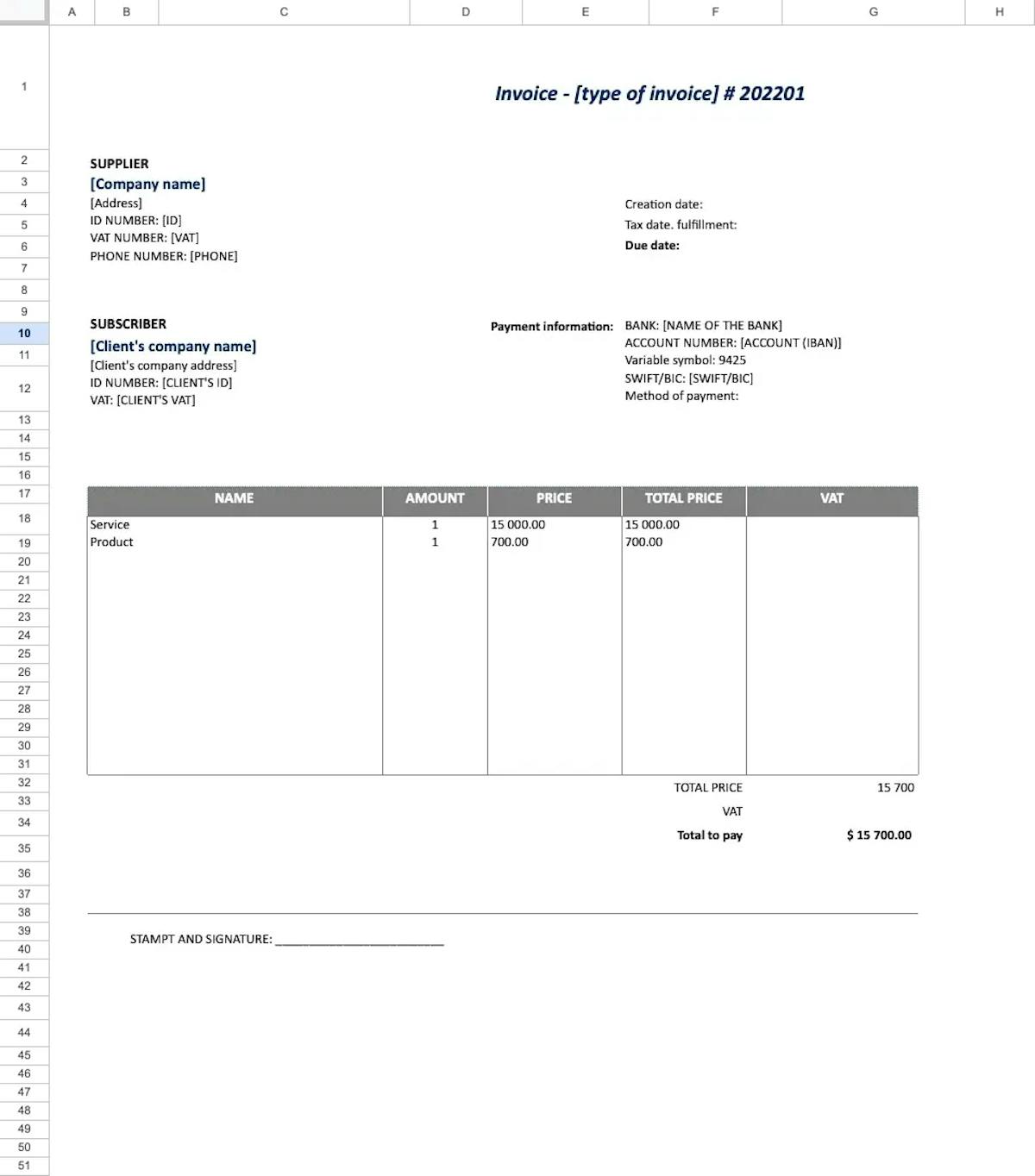
Excel is one of the most widely used tools in business – and many companies still use it for creating invoices. While spreadsheets are great for calculations and record-keeping, they have their limitations when it comes to invoicing. We'll look at what an invoice in Excel should look like, what it must include – and why more and more business owners are switching to MyInvoiceOnline.co.uk as a faster and more reliable way to invoice.


What must an invoice include?
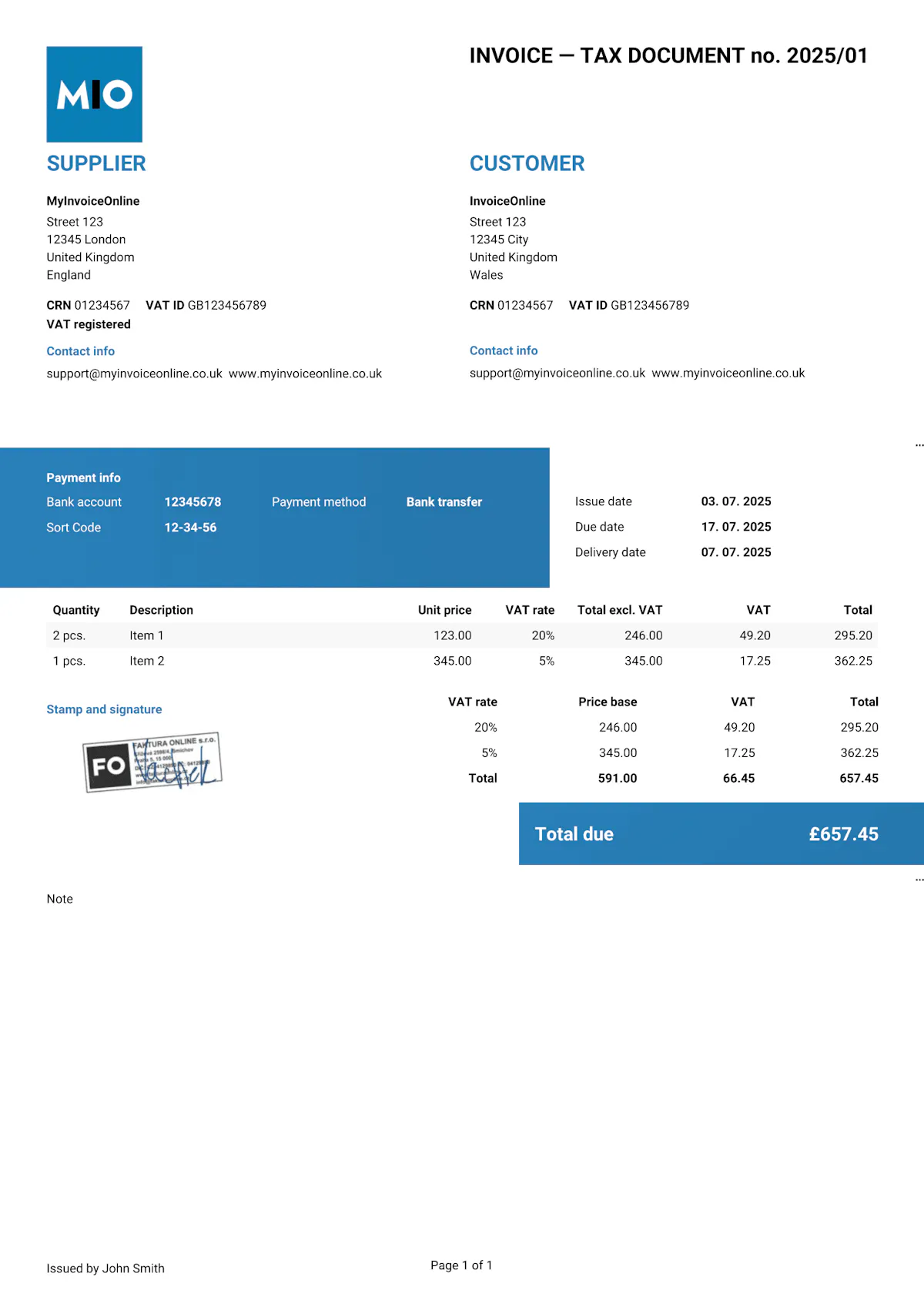
Whether you create your invoice in Excel or anywhere else, it must meet the requirements set out by HMRC. If any required element is missing, your customer may dispute the document, and you risk issues during a tax inspection.
Required elements
Invoice number – a unique, sequential number (e.g. "Invoice No. 20250101") within your chosen numbering system.
Seller details – your business name (or full name if you're a sole trader), registered address, and company registration number. VAT-registered businesses must also include their VAT number.
Buyer details – the customer's name, address, and company or VAT number where applicable.
Invoice date – the date the invoice was issued.
Supply date – the date the goods or services were provided (also known as the tax point), if different from the invoice date.
Description of goods or services – what you're invoicing for: item name, quantity, unit price, and line total.
Total amount due – the sum of all items. For VAT-registered businesses, this must be broken down into the net amount, VAT amount, and gross total.
Recommended elements
Payment due date – the deadline by which the customer should pay.
Payment details – bank account number, sort code (or IBAN for international payments).
Payment method – bank transfer, card payment, or other accepted methods.
Purchase order number – if the customer provided a PO number, including it speeds up payment processing.
What to watch out for when invoicing in Excel
Excel is a powerful tool, but when it comes to invoicing, it has specific pitfalls that can lead to errors:
Rounding issues – Excel may round differently than you expect. Penny differences on VAT invoices can cause problems in your bookkeeping.
Broken formulas – When copying rows, cell references can shift. Always double-check that your totals add up correctly.
Formatting issues on print/export – What looks fine on screen can fall apart when exported to PDF. Always check the print preview.
Manual numbering – Without a proper system, it's easy to end up with duplicate invoice numbers or gaps in your sequence.
-
No automatic backups – If you delete the file or it gets corrupted, you lose your entire records.

Important!
Never send an invoice as an .xlsx file. The recipient could accidentally (or intentionally) alter the details. Always export to PDF.
With MyInvoiceOnline.co.uk, you don't have to worry about any of this. Every invoice is automatically generated as a PDF that can't be edited afterwards. Your customer always receives exactly what you issued – with no risk of anything being changed along the way. And all your documents are securely stored in the cloud, so you never have to worry about backups.
Invoice templates for Excel
Invoice like a professional.
Your customers will see that your invoice matches your brand.
Add your logo, brand colours, or stamp in just a few seconds. Editable templates are easy to customise to suit your needs.

Your logo on every invoice
Upload your own logo and make every invoice look professional and truly yours.

Your brand colours
Choose your brand colours so your invoices stay consistent with your business identity.

Add your stamp
Need a company stamp on your invoice? Just upload it – it will appear automatically in the right place.