Invoice Template Word
Microsoft Word is many sole traders' and small business owners' first choice when they need to put together an invoice quickly. Compared to spreadsheets, it offers simpler formatting and text editing – but invoicing in Word has its limitations. We'll show you what an invoice in Word should look like, which details must be included, and when it makes more sense to switch to online invoicing.

What must an invoice include?
The format of the document doesn't matter – whether you create your invoice in Word, Excel or on paper, the required details are always the same. Without them, your customer can reject the document, and you risk problems during an HMRC compliance check.
Required details
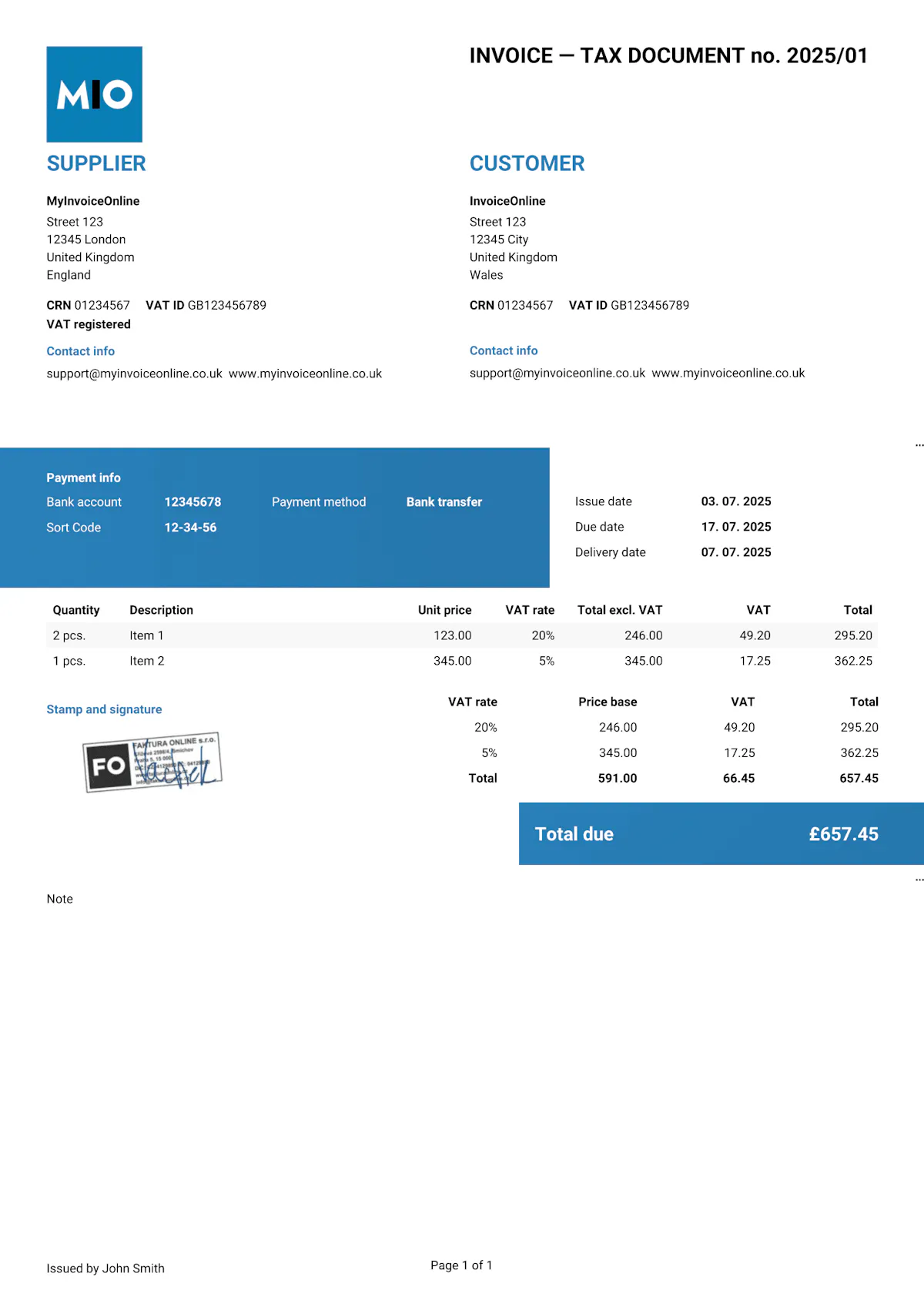
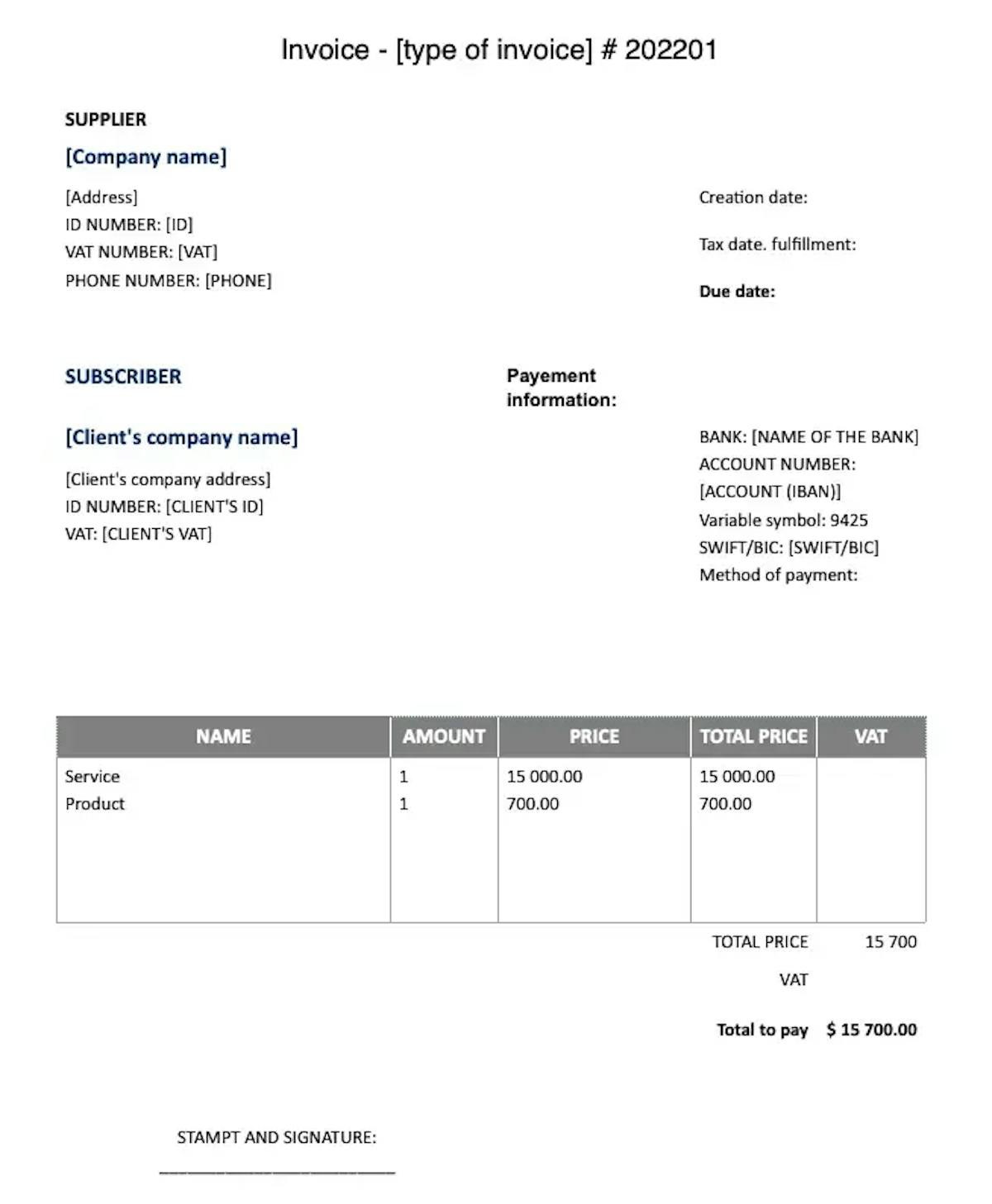
Invoice number – a unique identifier (e.g. "Invoice No. 20250015") following a sequential numbering system.
Your details – business name (or your full name if you're a sole trader), registered address, company registration number (if applicable), and VAT number (if VAT-registered).
Customer details – name, address, and VAT number (for B2B transactions).
Invoice date – the date the invoice was issued.
Supply date (tax point) – the date the goods were delivered or the services were performed, if different from the invoice date.
Description of goods or services – what you're invoicing for: item or service name, quantity, unit price and line total.
-
Total amount – the sum of all line items. VAT-registered businesses must show the net amount, the VAT rate, the VAT amount, and the gross total separately.
Recommended details
Payment terms – the due date or payment period (e.g. "Net 30" or a specific date).
Bank details – account name, sort code and account number (or IBAN for international payments).
Payment method – bank transfer, direct debit, online payment.
Purchase order (PO) number – if your customer has provided one, include it so the invoice can be matched to the order.
What to watch out for when invoicing in Word
Word is first and foremost a word processor, not an invoicing tool. When creating invoices, you'll run into a number of common problems:
Manual calculations – Word has no formulas. For invoices with multiple line items or VAT, you have to calculate every total yourself, which increases the risk of errors – especially with penny differences in rounding.
Broken layouts – adding a longer description is all it takes for the table to shift out of place. Formatting that looks fine on your computer can look completely different on your customer's screen.
Manual numbering – without an automated system, it's easy for two invoices to end up with the same number.
No record keeping – Word doesn't keep track of issued invoices. You have to maintain your records separately.
-
No automatic backups – if you delete the file or it gets corrupted, the document is gone with no way to recover it.

Heads up!
Never send an invoice as a .docx file. The recipient could easily overwrite the amount, date or other details. Always export to PDF.
With MyInvoiceOnline.co.uk, you don't need to worry about any of this. Every document is automatically generated as a locked-down PDF that can't be edited after the fact. Your customer always receives exactly what you issued – and you have a complete record safely stored in the cloud.

Invoice Templates for Word


Invoice like a professional.
Your customers will see that the invoice matches your brand.
Add your logo, brand colours or stamp in just a few seconds. The editable templates are easy to customise to suit your needs.

Your logo on every invoice
Upload your own logo and give every invoice a professional look that's unmistakably yours.

Your brand colours
Choose your brand colours so your invoices are consistent with your business's visual identity.

Add your stamp
Need a company stamp on your invoices? Simply upload it – it'll appear automatically in the right place.