Top Tips for UK Freelancers: Invoice to Get Paid Fast
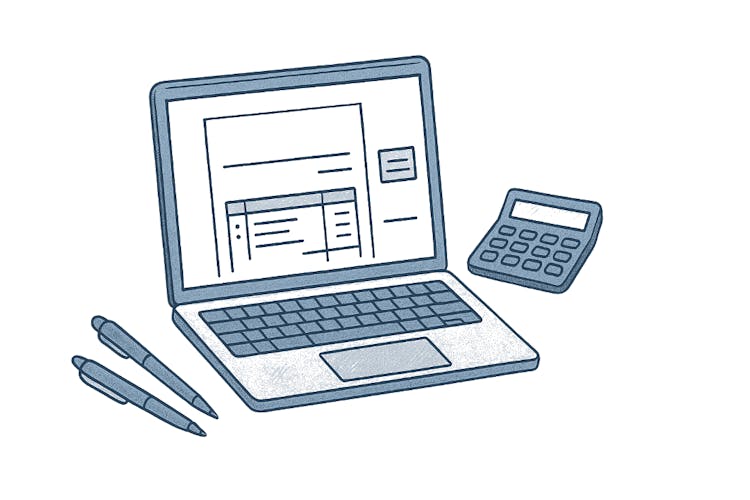
In the freelance world, an invoice is not just a payment request; it's a testament to your professionalism. This formal document summarises the services provided, dates of delivery, agreed sums, and payment terms. More than just a financial record, a well-crafted invoice builds client trust and distinguishes freelancers as bona fide business operators. By employing clear, structured invoices, freelancers in the UK can enhance client relations and maintain seamless operations.
Summary Definition:
A freelance invoice is a vital tool for requesting payments, key for managing income and sustaining client trust.
Creating a Freelance Invoice: A Simple Guide
Crafting a detailed invoice requires no complex software, just a few straightforward steps:
Choose a template: Utilise tools like Word, Excel, or even free generators for coherence.
-
Include a header:
List your name or trade name, logo (if applicable), and contact information.
Note the client's contact details.
Label the document: Clearly mark it as an 'Invoice', along with a unique identifier, the date it was issued, and the deadline for payment.
Itemise the services: Break down per service with clarity, incorporating delivery timelines and costs. Sum the subtotal, taxes (if any), and overall total correctly.
State payment information: Specify accepted payment methods, account details, and possible direct payment links.
Save and dispatch: Save as a PDF to preserve the formatting. Email it using a professional subject line, such as “Invoice #001 – John Smith Designs”.

Tip
Utilising consistent and well-crafted invoices enhances credibility and expedites client payments.
Key Details Your Invoice Must Contain
To avoid any confusion or payment delays, ensure your invoice includes these crucial elements:
Your contact information: List your name, business name, postal address, phone, email, and logo for brand consistency.
Client’s contact information: Include the recipient's name, business name, email, and any other pertinent details.
Invoice specifics: A unique invoice number, date of issue, and the due date for payment.
Description of services: Specify the services rendered, with accurate descriptions like “Proofreading of 15-page document”, including quantities or timelines.
Charges: Clear breakdown of costs, hourly or fixed rates, as well as taxes, leading to the amount payable. Avoid ambiguous terms such as “extra charges.”
Payment instructions: Offer explicit directives on how to make the payment, detailing account info, links to payment processors, and accepted currencies.
Terms and conditions: Specify terms like “Net 30” (payment due in 30 days) and mention any late fee charges.

Failing to include key details may result in delayed payments or disputes.
Enhancing Timely Payments with Your Invoice
A professional invoice sets clear payment expectations, fostering trust with clients. By detailing terms such as due dates and late fees, freelancers establish clear boundaries, reducing any client confusion. Clear instructions regarding the payment process address any questions upfront, preventing back-and-forth queries.
Moreover, employing tools for automatic reminders keeps clients informed without needing manual efforts. Presenting a well-structured invoice not only reduces disputes but also positions freelancers as dependable, urging clients to prioritise prompt payments.
Tip
Consider setting terms like “half upon commencement, remainder on completion” to secure your work.
Available Tools and Templates for Invoice Creation
Indeed, there's a wealth of tools available to aid freelancers in generating invoices with ease. Consider these trusted choices:
Wave: Free platform offering tailored invoicing and payment tracking features.
FreshBooks: Paid service tailored for freelancers with comprehensive accounting capabilities.
Zoho Invoice: Provides complimentary plans with recurring billing options.
Canva: Offers pre-designed templates for easy personalisation and branding.
Invoicely/Invoice Ninja: Simplified, no-cost online invoicing solutions.
Google Docs/Microsoft Word: Basic downloadable templates that can be edited to fit your needs.
Tip
Pick a tool based on your specific requirements, like reminder automations or client database storage, to enhance efficiency.

For new freelancers, Wave and Google Docs serve as excellent free options.
Final Advice: Steer Clear of Common Invoicing Errors
To navigate smooth billing processes, be sure to steer clear of these typical mistakes:
Ambiguous or missing descriptions: Ensure all service details are clear and succinctly listed.
Errors in typing or calculations: Verify all information for accuracy to uphold a professional image.
Absent due dates or payment terms: Deadlines ensure clients know when to pay, preventing lapses.
Late invoice issuance: Send invoices promptly once work is concluded to remain fresh in clients' minds.
Neglecting these points can lead to client frustration and delayed payments.