Creating Engaging Q&A Social Media Content
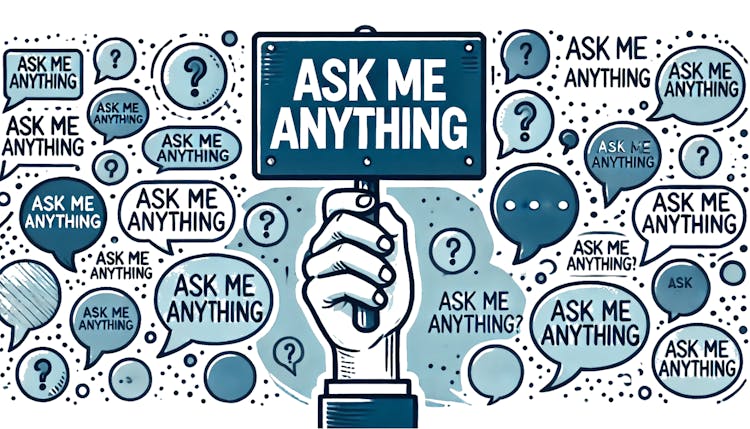
What Defines a Q&A Social Media Post?
Q&A posts on social media platforms are dynamic content formats enabling businesses to boost interaction by allowing followers to inquire about particular topics, products, or services. Such posts encourage open conversations, increasing engagement levels. Whether they're a static post or live session, they offer businesses a chance to highlight their know-how and forge strong connections with their audience.
Examples of Q&A Formats:
Interactive polls on Instagram Stories using “Questions” stickers.
LinkedIn updates soliciting industry-related questions.
Interactive Facebook Live broadcasts for live Q&As.
Reddit's AMAs (Ask Me Anything) sessions.
The Advantages of Q&A Social Media Content for Your Business
Using Q&A posts can significantly help businesses engage with their audience profoundly.
Enhance Trust: Personalising your brand through openness and accessibility can humanise it.
Highlight Concerns: Direct interactions reveal confusion or unsatisfied needs.
Conduct Market Research: Understand what matters to your customers.
Improve Reach: Content driven by interaction increases visibility across social media platforms.
Establish Expertise: Offering clear advice helps position your brand as a knowledgeable authority.

Example
Picture an eco-conscious brand holding a Q&A on sustainable living. By addressing queries, they educate followers while reinforcing their standing in the sustainability field.
Keys to Crafting an Engaging Q&A Social Media Post
To make a compelling Q&A post, clarity, pertinence, and visual attractiveness must be prioritized. Here are tips to achieve that:
Intriguing Titles: Capture interest with titles like “Ask Anything About X!” or “All Your Y Questions Answered!”.
Questions Tailored for the Viewer: Focus on your audience’s genuine interests.
Engaging Graphics: Use vibrant visuals, bold fonts, and neat design to make your content noticeable.
Utilize Multimedia: Integrate short clips, visual content, or live features for engaging responses.
Inclusive Accessibility: Ensure inclusivity by providing captions on videos and visuals.

Tip
Make your queries captivating to draw in interest, e.g., “Curious about how [specific feature] operates? Discover more here!”
Encouraging Audience Engagement in Q&A Posts
These are five effective strategies to increase engagement:
Effective Call-to-Action (CTA): Be straightforward, e.g., “Got a question? Share it below!”
Relevant Subjects: Align topics with your audience’s concerns or interests.
Prompt Replies: Answer promptly to acknowledge every question.
Provide Incentives: Participation is encouraged with discounts, freebies, or shoutouts.
Advance Announcements: Use trailers or countdowns to alert followers about the Q&A beforehand.
Tip
Engage your audience by conducting a poll or quiz prior to the Q&A to stimulate curiosity.
Utilising Tools for an Effective Q&A Social Media Post
Selecting the appropriate tools can greatly enhance the efficiency of your Q&A post:
Scheduling Tools: Employ Hootsuite, Buffer, or Later to plan posts for the best timings.
Design Software: Create branded, engaging visuals using Canva.
Video Editing: Utilise Adobe Premiere Rush or InShot for polished video interactions.
Live Streaming: Make the most of Instagram Live, Facebook Live, LinkedIn Live for interactive Q&As.
Engagement Tracking: Use Sprout Social or Instagram Insights to monitor participation.

Instagram Questions stickers offer a simple and native way to boost participation in Stories through Q&As.
Conclusion: Begin Maximising Engagement with Q&A Content Today!
Q&A social media posts offer an economical and impactful way to connect with your audience, build confidence, and reveal expertise. Using the strategies and tools detailed above, you can start planning your maiden Q&A post today and enjoy the enduring advantages of steady audience involvement. Why hold back? Embark on this journey and see the transformation!
