Invoicing in Word or Excel: When a Template Is Enough and When to Switch
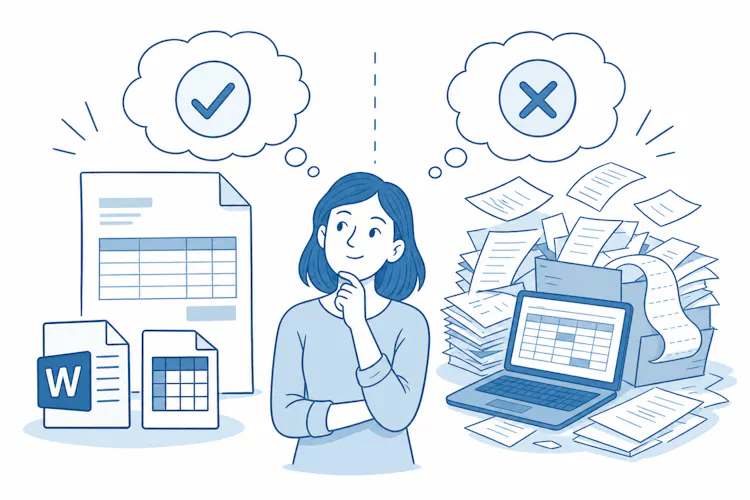
When a Word or Excel invoice is enough
No law tells you which program to use for your invoices. An invoice made in Word, in Excel or even by hand is valid, as long as it contains all the required details and you send it on time. What matters is the content, not the tool. If you are VAT-registered, the rules for a VAT invoice are stricter. Our guide to VAT invoices for UK businesses covers what they must include.
A Word or Excel template usually does the job when:
you are not VAT-registered,
you send only a few invoices a month, mostly to regular clients,
you invoice on your own and don't share the file with colleagues,
you don't need to track payments or send data to your accountant electronically.

How to set up a template that works
Create one master template and save each invoice as a new copy.
Send the finished invoice as a PDF, not as an editable .docx or .xlsx file.
Log every invoice number in a separate list.
Check your total formulas by hand once.
Mandatory e-invoicing for VAT-registered businesses
The government has confirmed that from April 2029, all VAT invoices between businesses and to the public sector will have to be structured e-invoices. These are machine-readable files that the customer's software can process without retyping. A PDF made in Word or Excel is not an e-invoice, even when you send it by email.
Invoices to consumers are outside the plan. The detailed roadmap, including formats and any phasing, is still to be published, so check GOV.UK before you plan your switch.

What this means for templates
If you are VAT-registered and invoice other businesses, a Word or Excel template will stop being enough once the mandate starts. Choosing software that can produce e-invoices now saves you a second switch later.
What to watch out for with Word and Excel
Office programs have no built-in checks. You have to keep an eye on everything yourself, and that's where mistakes happen.
Invoice numbering
Every invoice needs a unique, sequential number. When you copy a template, it's easy to give two invoices the same number or skip one. Our article on how to set up invoice numbering for your business shows the common formats.
Editing an invoice you've already sent
Once an invoice is sent, don't simply overwrite it. An Excel file that you change after sending and save under the same name leaves no clear record of what your customer actually received. Correct a mistake with a credit note, not by editing the file.
Calculations and VAT
Manual formulas fail quietly. A formula misses a newly added row, rounding is wrong or an old VAT rate stays in the template. If you aren't VAT-registered, the result is “only” the wrong amount to pay. If you are, a VAT error also causes problems for your customer, who reclaims the VAT from your invoice. A VAT invoice must be issued within 30 days of the tax point.
Record keeping
VAT records, including invoices, must be kept for at least 6 years. With files on your computer, that means regular backups, consistent file names and being sure you can still find and open an invoice years later.

Sending invoices by email
Electronic invoices, including a PDF sent by email, are common in B2B trade when both sides agree to them. With new customers, it's worth confirming this in your contract or order.
When it's time to switch to invoicing software
The switch pays off once your template starts creating more work than it saves. Typical signs:
You need to register for VAT. If your taxable turnover goes over £90,000 in a rolling 12-month period, or you expect it to in the next 30 days alone, you must register. You will then issue VAT invoices and keep digital records under Making Tax Digital. Our guide to VAT registration and the £90,000 threshold explains both tests.
Invoices are piling up. Filling in, checking numbers and saving files takes hours every month.
More people invoice. A shared file means two people may use the same number.
You repeat the same invoices. Monthly retainers are set up once in software.
Your accountant wants data, not PDFs. Retyping invoices into accounting software costs time and money.
You lose track of payments. You can't tell at a glance who still owes you.
You invoice abroad. Foreign currencies and different VAT rules raise the risk of mistakes.

Example
A graphic designer who isn't VAT-registered sends four invoices a month, and Excel works fine. During the year she wins two new regular clients and her rolling turnover starts to approach £90,000. Once she registers, every invoice to a business needs VAT details and has to go out within 30 days, and her records must be digital. Moving to software before she registers means her first VAT invoice is right from the start.
If you're ready to move on, our step-by-step guide on how to switch from Excel to online invoicing shows what to prepare.
What invoicing software gives you, and what it costs
Compared with a template, software brings several practical benefits:
automatic numbering with no duplicates or gaps,
saved client details, so you don't retype addresses,
VAT calculated at the rate you choose,
an overview of paid and unpaid invoices,
data exports for your accountant instead of retyping,
all your invoices archived in one place.
There are two main downsides. Software usually comes with an annual fee, and your data sits with the provider, so check how you can export it. If you're VAT-registered, also check whether the software will support e-invoicing.
FAQ:
Is an invoice made in Word or Excel valid?
Yes. The law doesn't say which program you must use. An invoice is valid if it contains all the required details and is issued on time.
Is a PDF from Excel an e-invoice?
No. An e-invoice is a structured, machine-readable file that software can process automatically. A PDF is an electronic copy of a traditional invoice.
When will e-invoicing become mandatory in the UK?
The government has confirmed that all VAT invoices between businesses and to the public sector will have to be e-invoices from April 2029. Invoices to consumers are not covered.
Can I email an invoice made in Excel?
Yes, ideally as a PDF that can't easily be edited. Agree with your customer that you will send invoices electronically.
How long do I have to keep invoices?
VAT records, including invoices, must be kept for at least 6 years.
When must a VAT invoice be issued?
Within 30 days of the tax point, which is usually the date you supply the goods or services.

