Enhance Your UK Home Office with Laptop & Monitor
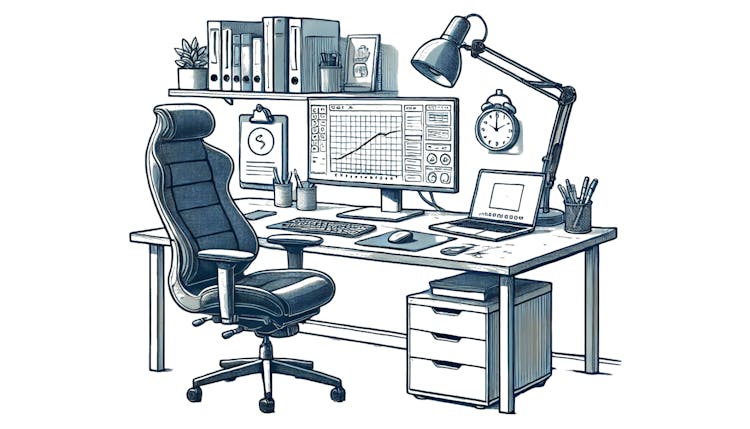
Optimising Your UK Home Workspace with Laptop and Monitor
Setting up an ideal workspace at home using a laptop alongside a monitor can seem daunting initially. However, with a few clever adjustments to your setup, it becomes much easier to boost both comfort and efficiency.
Position the monitor at eye height: Utilise a monitor arm or stand to ensure the screen is positioned correctly, reducing neck discomfort.
Adjust the laptop height: A robust laptop stand can complement your dual-screen arrangement, helping to avoid poor posture.
Organise your desk efficiently: Arrange essentials like your keyboard and mouse within easy reach and manage cables to maintain a tidy space.
Boost work efficiency: Extend your screen display to multitask more effectively by having emails open on one screen and documents on the other.
Ensure adequate lighting: Proper ambient and task lighting can decrease the chance of eye strain over prolonged work periods.
Key Tips for a Home Office Setup in Britain with Laptop and Monitor
Following best practices when setting up a home office with a laptop and monitor can greatly improve comfort and work efficiency, reducing strain and tiredness. Here's how to nail it:
Choose a comfy chair: Select an adjustable chair that supports your lower back and aligns with your desk height so your feet rest flat on the floor or on a footrest.
Use external peripherals: An external keyboard and mouse paired with your laptop can improve posture and simplify navigation.
Balance your lighting: Place your desk to take advantage of natural light and use adjustable lamps to avoid glare.
Alternate your position: If practical, invest in a sit-stand desk so you can switch between sitting and standing throughout the day to ease strain.
Customise your space: Keep items you frequently use within easy reach to cut down unnecessary movements.

Tip
Protect your eyes: Consider using blue-light filtering glasses or enabling night mode on your screens to help reduce eye strain during lengthy work sessions.
Effective Home Office Desk Layout with Laptop and Monitor
To craft an efficient desk layout for your laptop and monitor home office, focus on optimising space and organisation. Here are the steps for a functional and comfy arrangement:
Begin with monitor positioning: Place your primary monitor straight ahead at about an arm's distance, with the centre positioned 15–20 degrees below your natural line of sight.
Use your laptop as a secondary screen: Slightly angle the laptop and elevate it using a stand to ensure its screen aligns with your monitor's height, facilitating a smoother dual-screen workflow.
Maximise workspace efficiency: Place your keyboard and mouse directly before you, keep essential tools within easy reach, and use cable management to avoid clutter.
Equipment to Elevate Your Laptop and Monitor Setup
Selecting the appropriate tools can significantly enhance the ergonomics and functionality of your laptop and monitor setup. Consider these five enhancements:
Adjustable laptop risers: Elevate your laptop to improve posture and make dual-screen usage more seamless.
Ergonomic seating: Look for chairs with lumbar support to alleviate lower back pain during long hours of sitting.
Docking stations: Simplify the process of connecting multiple devices, including extra monitors.
Organised cable systems: Keep your cables tidy and out of sight to maintain a neat workspace.
High-quality webcams: Enhance video calls with improved image quality and built-in microphones.
Adjustable monitor arms: A good-quality adjustable arm will save desk space and ensure your monitor is at the perfect height.
Selecting the Perfect Monitor for Your Home Office Setup
Choosing the right monitor is crucial to enhance the functionality of your home office setup with a laptop. Follow these steps to make an informed decision:
Evaluate your requirements: Pick a screen size that suits your workflow. For usual tasks, a 24–32 inch screen with at least Full HD resolution is suitable. If you're into design work, a QHD or 4K display is preferable for clarity.
Check ergonomics and connectivity: Look for features like adjustable stands or compatibility with monitor arms, ensuring the monitor has an HDMI or USB-C port for easy laptop integration.
Balance your budget and needs: Prioritise important features like flicker-free displays and blue-light reduction to safeguard your eyes while considering cost. If workspace or multiple tasks are important, invest in ultrawide or slim-bezel displays.

Resolution Guide:
- 1080p (Full HD): Adequate for basic tasks.
- 1440p (QHD): Suitable for multitasking and moderate design work.
- 4K (UHD): Ideal for graphic design and video editing.
With thoughtful selection and investment in the right tools, your workspace can transform into a comfortable and productive British home office.
