Work from Home: Building an Efficient System
Designate a Space for Work
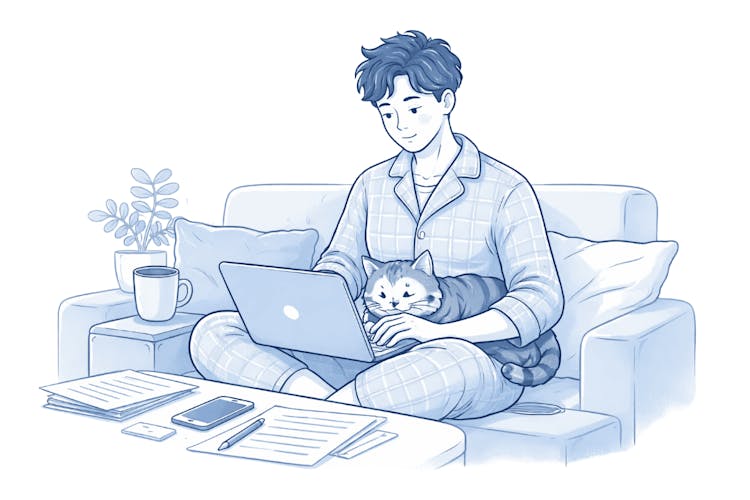
A common pitfall of working from home is not carving out a specific area for work – bouncing from the sofa to the bed and then the kitchen simply won't do. This lack of designated space prevents your mind from fully entering a productive state.
You needn't commandeer an entire room; just a small section with a proper desk suffices. This acts as a mental cue: this is work time. When you step away, it's a signal to unwind.

Tip:
Struggling for space? Use visual cues, such as a unique lamp or specific work-time headphones, to demarcate your workspace. Even tiny signals are effective for the brain.
Essential Tech Equipment
A collection of decent gadgetry won't vanquish procrastination, but lacklustre gear can certainly hurl spanners in the works.
Must-haves for Everyone:
Sturdy Internet – a stable connection with mobile data as a fallback is ideal
Good Quality Headset with Mic – a modest investment but a significant upgrade for video calls
Additional Monitor – an effective way to enhance productivity when using a laptop

Practical Example:
Graphic artist Jana spent a year toiling on a 13" laptop and was often frustrated by its sluggishness. Investing £120 in a second monitor, she found she saved an hour daily by avoiding tedious window-switching. The investment paid off severalfold within a year.
Organisational and Communication Tools:
Shared Calendar (Google Calendar, Outlook) – vital for client coordination
Task Management Platforms (Trello, Notion, Asana) – consolidated task management
Invoice Software – indispensable for freelancers to issue invoices swiftly from home, akin to MyInvoiceOnline
Morning and Evening Routines
Rituals might seem trivial, yet they play a pivotal part in a home office setup. Without them, the boundaries between sleep and work blur.
-
Morning Ritual (15–30 minutes): It doesn't need to be elaborate. It's about demarcating ‘personal time’ and ‘work time’ with cues:
Dress properly—not just lounge about in pyjamas
Take a stroll—even a short walk simulates the commute
Organise your day's tasks and identify 2–3 key priorities
-
Evening Ritual (10–15 minutes): Closing rituals are as crucial as dawn ones. They formally wrap up your workday, protecting personal time.
Review accomplishments
Update carryover tasks for tomorrow
Shut down work apps and mute notifications
Choose a consistent end time for work and adhere to it. Being at home doesn’t equate to being constantly available 24/7. Overextending often leads to burnout.
Work and Personal Life Delimitation
Commuting used to naturally divide work and personal life. At home, however, you'll need to establish this boundary manually.
Effective Strategies:
Set Work Hours – try to maintain consistency, allowing others at home to expect your schedule
Household Rules – establish guidelines for when interruptions are off-limits
Manage Notifications – switch off email and Slack outside work hours

Caution:
Saying "I'll just check my emails after tea" is a slippery slope toward perpetual work mode. Make this a habit, and it quickly becomes ordinary rather than exceptional.
Client and Colleague Interactions
Remote work can create a facade of inaccessibility. Ironically, those without clear communication protocols often find themselves overly accessible.
-
Establish Clear Guidelines:
Inform clients and colleagues of your availability and preferred communication methods
Respond within work hours, perhaps take 2–4 hours to reply, but with assurance
Agree on an urgent contact method (like WhatsApp or phone, but not email)
-
Video Conversations:
First impressions rely on backdrop and lighting—avoid messy kitchen backgrounds
Whenever feasible, keep the camera on to build trust
Simplicity in Home Office Systems
An effective home office system isn't contingent on high-end equipment or unwavering discipline. It thrives on consistently practised simple habits:
Dedicated workspace for focus
Begin and end-of-day routines
Structured work hours—clear to you and your clients
Appropriate tools properly utilized
Introduce one change at a time. An immediate, simple adjustment? Set a precise time to power down your computer every day.
Frequently Asked Questions (FAQ)
Do I need a separate room for a home office?
No. A dedicated corner or a desk used only for work is enough. What matters most is the psychological separation of your workspace, not its physical size.
How do I explain to family members or roommates that I’m working and don’t want to be disturbed?
Use visual signals—a closed door, headphones on, or an agreed “code word.” The best solution is to set fixed working hours and communicate them clearly, instead of renegotiating them every day.
How can I avoid distractions at home?
Remove visual distractions from your workspace (clutter, television). Work in focused time blocks—for example 25 or 50 minutes of work followed by a short break. Keep your phone in another room.
How can I keep track of invoices and payments when working from home?
Use online invoicing software. Everything is stored in the cloud and accessible from anywhere. You don’t need to carry paper documents or rely on a single computer.
How do I know if my home office system isn’t working?
Typical signs include regularly working evenings or weekends, difficulty concentrating, and the feeling that you are always “at work.” These are signals that you need to set clearer boundaries between work and personal time.
Is it worth investing in better equipment?
It depends on what you are missing. An ergonomic chair and a second monitor are investments that often pay off quickly. On the other hand, the newest laptop alone won’t make you more productive if you don’t have a solid work system.