Say goodbye to Excel for billing with ease
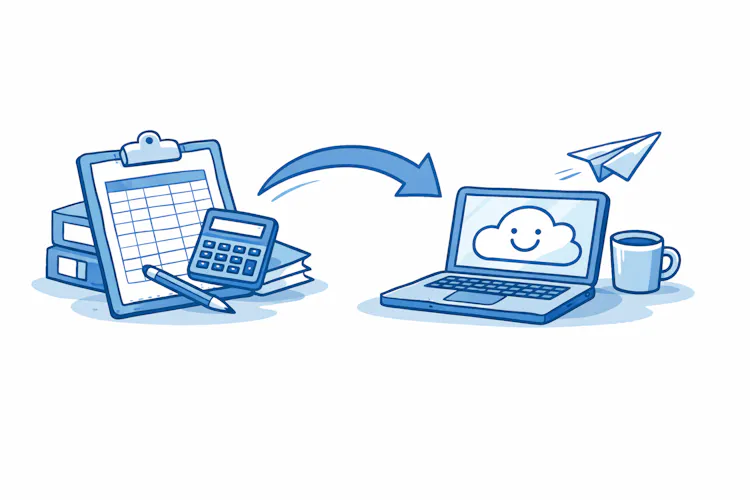
Why switch from Excel to online invoicing
The main difference isn't in the appearance of the invoice, but in what the software does automatically for you. Online invoicing monitors the numbering sequence, sends invoices by email, tracks payments, generates recurring invoices and advance payments, and stores history in one place accessible from anywhere. Excel, on the other hand, requires you to keep track of everything yourself, and every manual operation is an opportunity for error.

What to prepare before switching
A well-prepared migration takes an hour, a poorly prepared one several days of complaints. Before you start the first import, go through this checklist:
1. Current data in Excel
Open your invoice workbook and make sure that:
all invoices are numbered according to one logic,
each invoice has an issue date, due date, and payment status,
addresses and contact details of clients are current,
there are no duplicates or test records in the table.
2. Client database
Create a separate list of customers with their complete billing details – name, address, tax identifiers, email for invoice delivery, and the currency in which you invoice them. This list is usually the first to be imported.
3. Catalogue of items and services
If you repeatedly invoice the same items (hourly rate, specific product, flat fee), prepare an overview with their names, unit prices, and tax rates. In the online tool, this becomes an item catalogue, making it possible to issue an invoice with three clicks.
4. Number sequence
Decide how you will continue with numbering. Most tools allow you to set the starting number and sequence format (e.g., year-order). The number sequence must be continuous and uninterrupted – be careful not to start from one if you have already issued invoices that year. If you're unsure how to best number invoices, check the rules and recommended formats.

How to transfer data to an online tool
When switching to online invoicing, it's good to expect that you will set up the initial data in the new system yourself, as most online tools work this way. Clients and catalogue items are entered manually, or progressively as they come up in regular operations. For small to medium-sized businesses, this is usually not a problem—in fact, it gives you an overview of what you have in the system, and you can organise it right from the start.
The recommended procedure is to migrate data in three waves:
First clients — go through your invoicing history and set up active clients in the new tool who you actually work with. You don't need to transfer inactive records at all.
Then the item catalogue — recurring services, products, and rates. This speeds up the issuance of future invoices.
Finally historical invoices — and here's where it's worth pausing: in most cases, you don't need to transcribe them into the new system. For accounting and archiving purposes, it's enough to keep the original PDF or access to the old tool. You start the new system "fresh" with the first current invoices issued.

Example:
What to watch out for
Three issues are most commonly addressed when switching:
Incompatible data formats. If you have dates as text or amounts with spaces and currency symbols in Excel, the import may not recognise them. Clean the data before uploading—convert dates to true date format, amounts to numbers without spaces and currency symbols.
Tax identifiers. Ensure that all clients have correct tax identifiers according to your country's rules. Online tools often validate their format and will reject incorrect data.
Setting tax rates. Before issuing the first live invoice, review the settings for VAT rates (or equivalent in your country), rounding, and currencies. One incorrectly set rate means corrective documents later.

Your first invoice in the online tool
Once the data is in the system, issuing the first invoice takes just a minute:
Select a client from the list—all details fill in automatically.
Add items from the catalogue or enter new ones.
Check the issue date, due date, and payment method.
Download the preview as a PDF and check.
Send by email directly from the tool—the system will track delivery and any reminders.
Starting tip:
Checklist for switching from Excel to online invoicing
Before issuing the first live invoice, go through:
I have backed up original data from Excel in a secure location
I chose an invoicing tool and tried it in a trial version
Clients are in the system with complete billing information
The item catalogue includes recurring services and products
The numbering sequence follows the last invoice issued in Excel
Tax rates, currencies, and rounding are set according to my country's legislation
The invoice template includes the logo, contact details, and all mandatory invoice requirements
I issued a test invoice and checked the PDF output
Email notifications for payments and due dates are set up
I know how to find invoice history and export data in the tool
Once all points are ticked off, you can close Excel with peace of mind. And in a few weeks, you'll find you don't want to go back to it.