Expenses: tracking receipts and reclaiming VAT
Why track your expenses
Careful expense tracking gives sole traders, freelancers and small business owners three practical advantages:
Reclaim VAT — if you're VAT-registered, you can reclaim input VAT on business purchases and reduce what you owe HMRC. Without logged expenses there's nothing to reclaim from.
Reduce your Income Tax bill — allowable expenses are deducted from your taxable profit on Self Assessment, so every pound of legitimate expense reduces your tax.
Understand your real cash flow — you see what your business actually costs to run and where you can trim.

What counts as an allowable expense
For a cost to be an allowable business expense, HMRC's test is that it must be incurred wholly and exclusively for the purposes of your trade. Typical examples include:
Stock and raw materials bought to resell or use in your work
Office supplies, software, tool subscriptions
Fuel and running costs for a vehicle used for business
Phone, internet and rent of business premises
Training, books and conference attendance for your trade
Services from accountants, solicitors, marketers and other contractors

The £1,000 trading allowance — an alternative for small earnings
If your gross self-employment income is over £1,000, you can choose to deduct the £1,000 trading allowance instead of claiming actual expenses. You can't use both — pick whichever leaves you with the lower taxable profit. The allowance suits people whose business costs are minimal (under £1,000 a year). For anyone with meaningful expenses, claiming actual costs is usually better.
What a receipt or invoice needs to contain
To support a VAT reclaim, the document must meet HMRC requirements: supplier name and VAT number (where applicable), invoice date and supply date, description of goods or services, net amount, VAT rate and amount, and gross total.

Where to find your expenses list in MyInvoiceOnline
Open your expenses list by clicking Expenses in the top navigation. You'll find every logged document in date order.
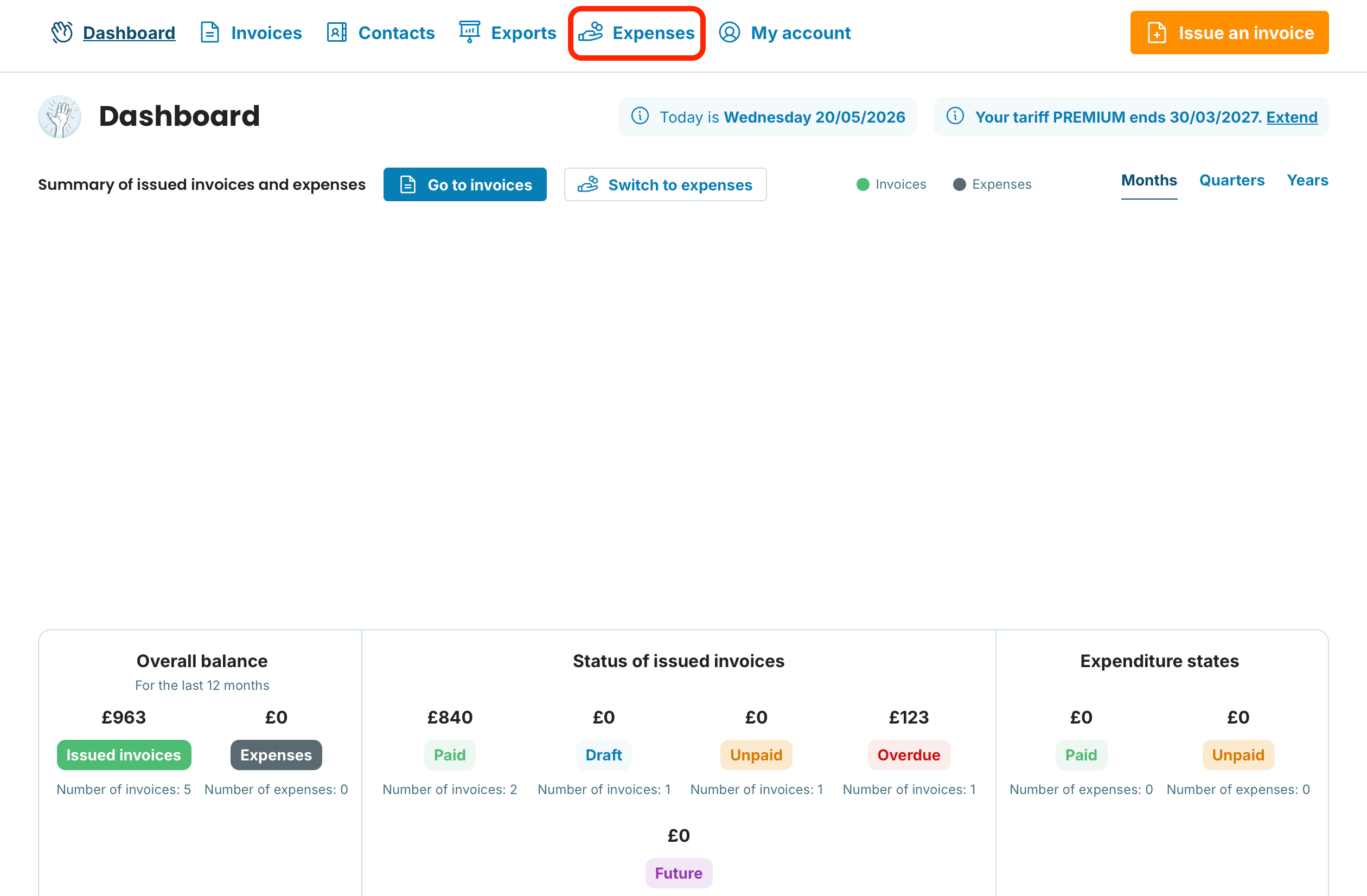
Each row shows the basics — number, supplier, date, amount and payment status. You can sort by any column using the arrows in the header, so you can quickly pull up unpaid items or expenses from a specific supplier.
How to add a new expense step by step
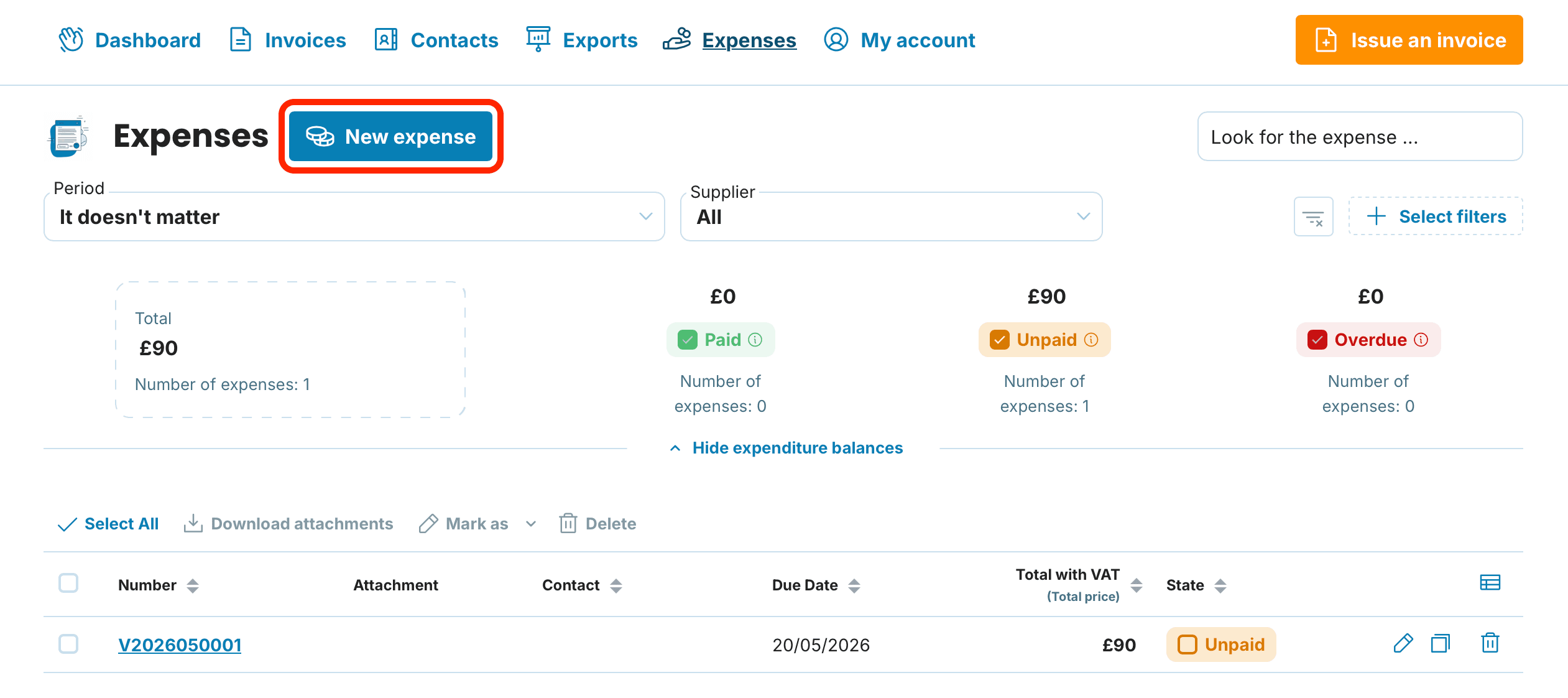
1. Click New expense
On the expenses list, click New expense. The expense form opens.
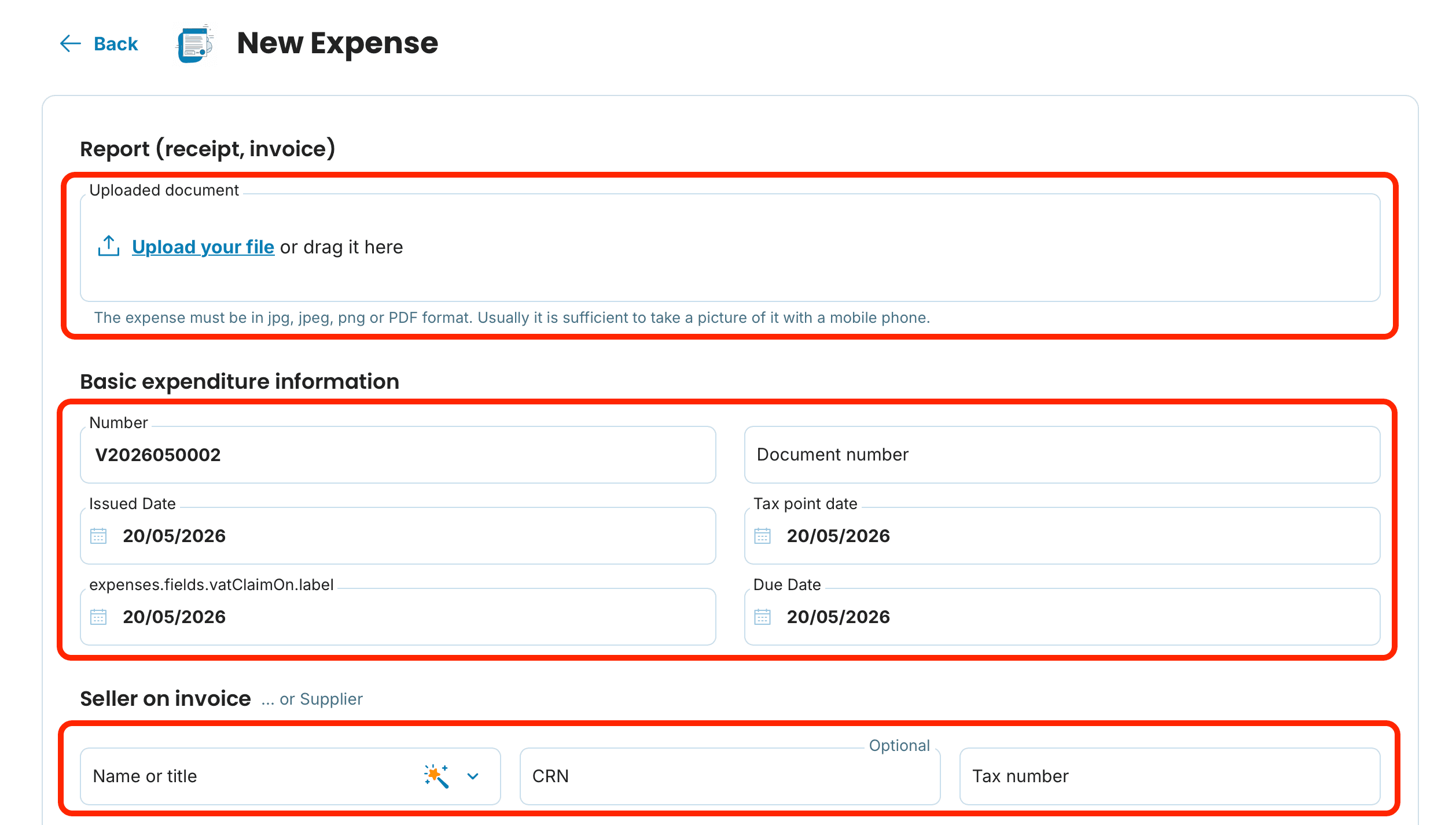
2. Upload a scan or photo of the receipt
We recommend starting by uploading a photo of the receipt or a PDF of the supplier invoice. The document then sits alongside the record, so you don't have to dig through folders when your accountant or HMRC asks for it.
3. Fill in the details from the document
The form has these fields:
Document number — copy from the invoice or receipt
Issue date — when the document was issued
Supply date (tax point) — when the goods or services were supplied. This date determines which VAT period the expense falls into
VAT recovery date — usually the same as the supply date, but it can differ
Payment due date — when the document needs to be paid
Supplier on the document — who issued it
Expense lines with VAT — what you bought, the amount and the VAT rate
Notes — optional, e.g. "stock for Manchester project" or "client meeting travel"
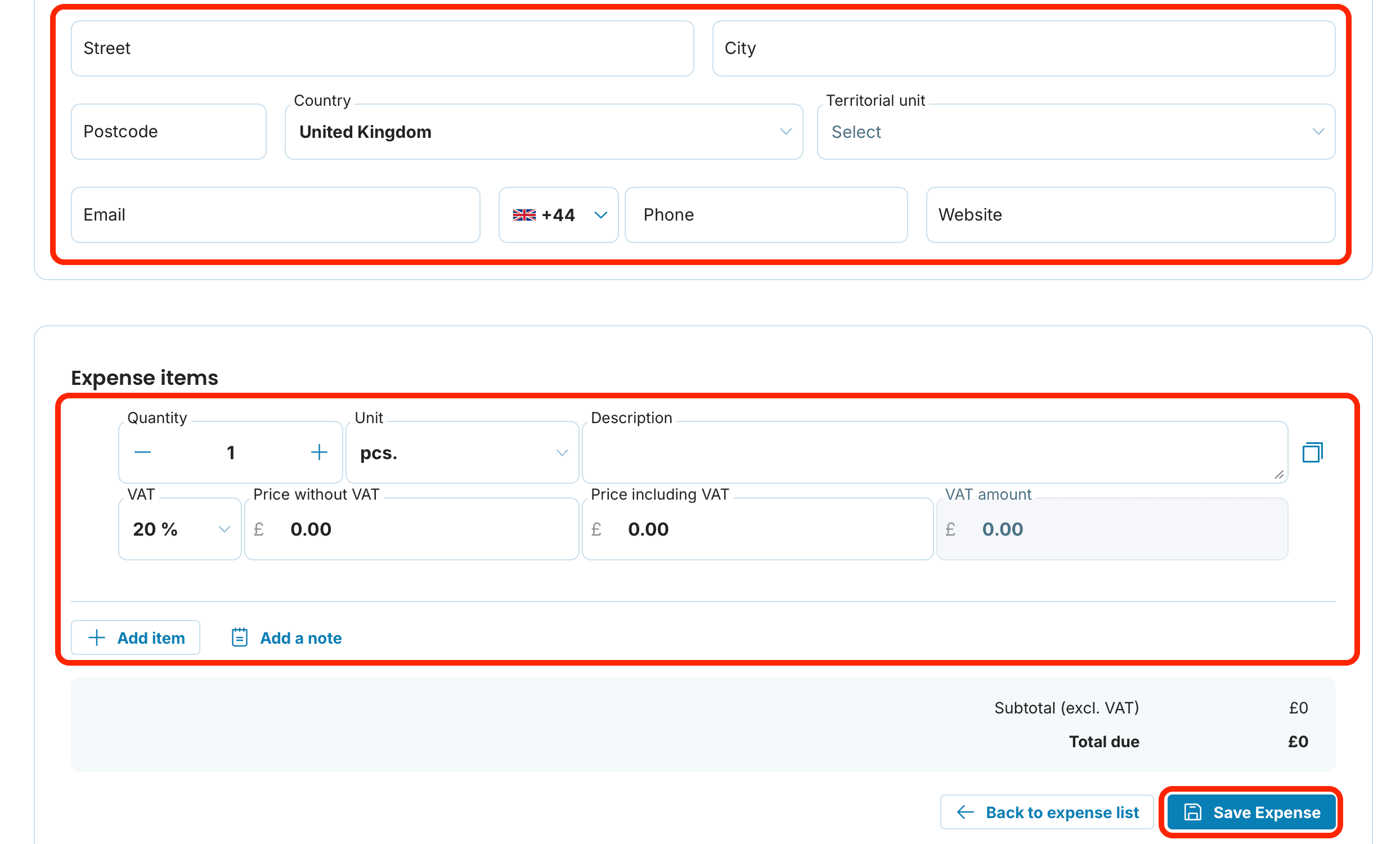
4. Save the expense by clicking Save expense
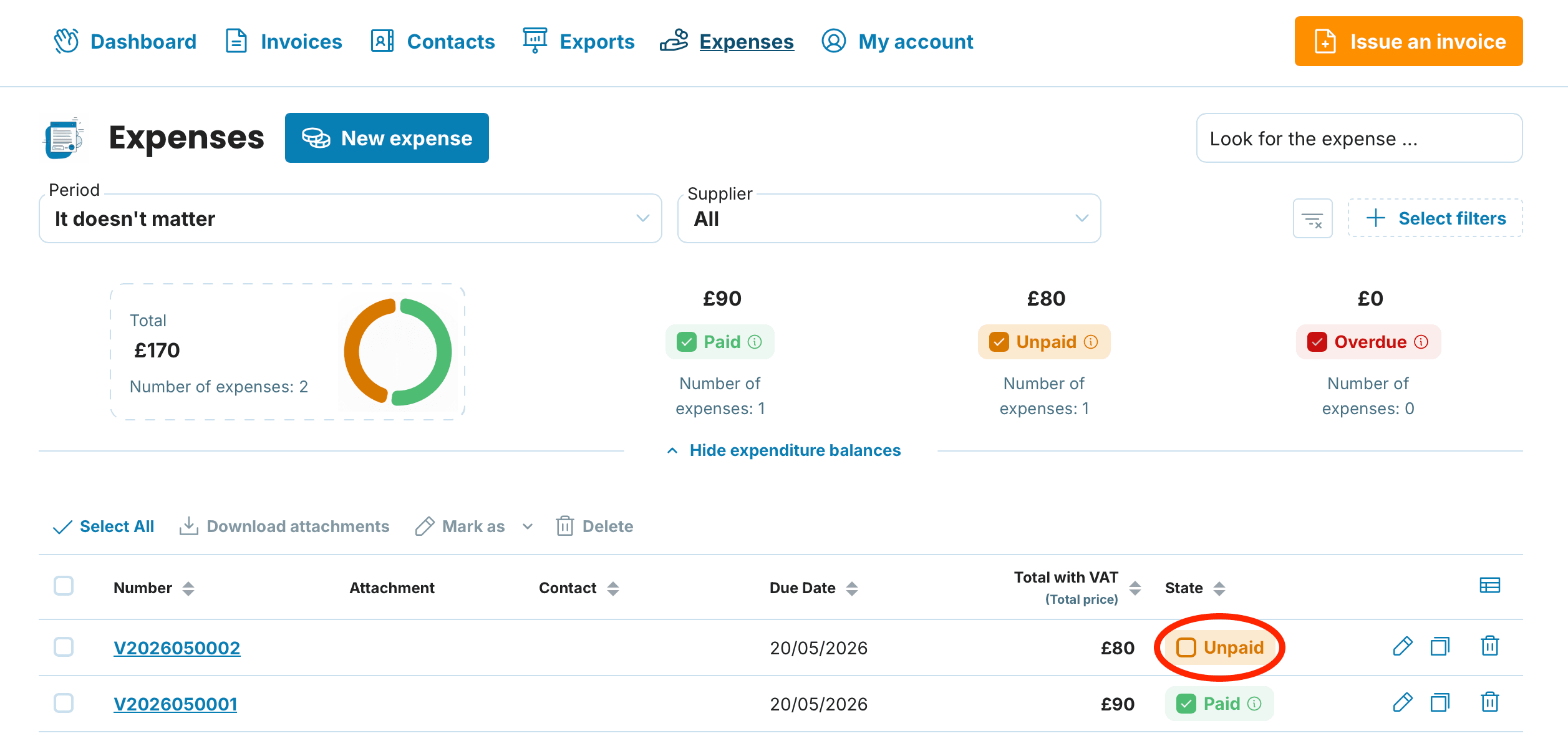
5. Mark the expense as paid
After saving, you can tick the Status column to show the document has been paid. This keeps your payment terms and cash flow view accurate.
Working with expenses in the list
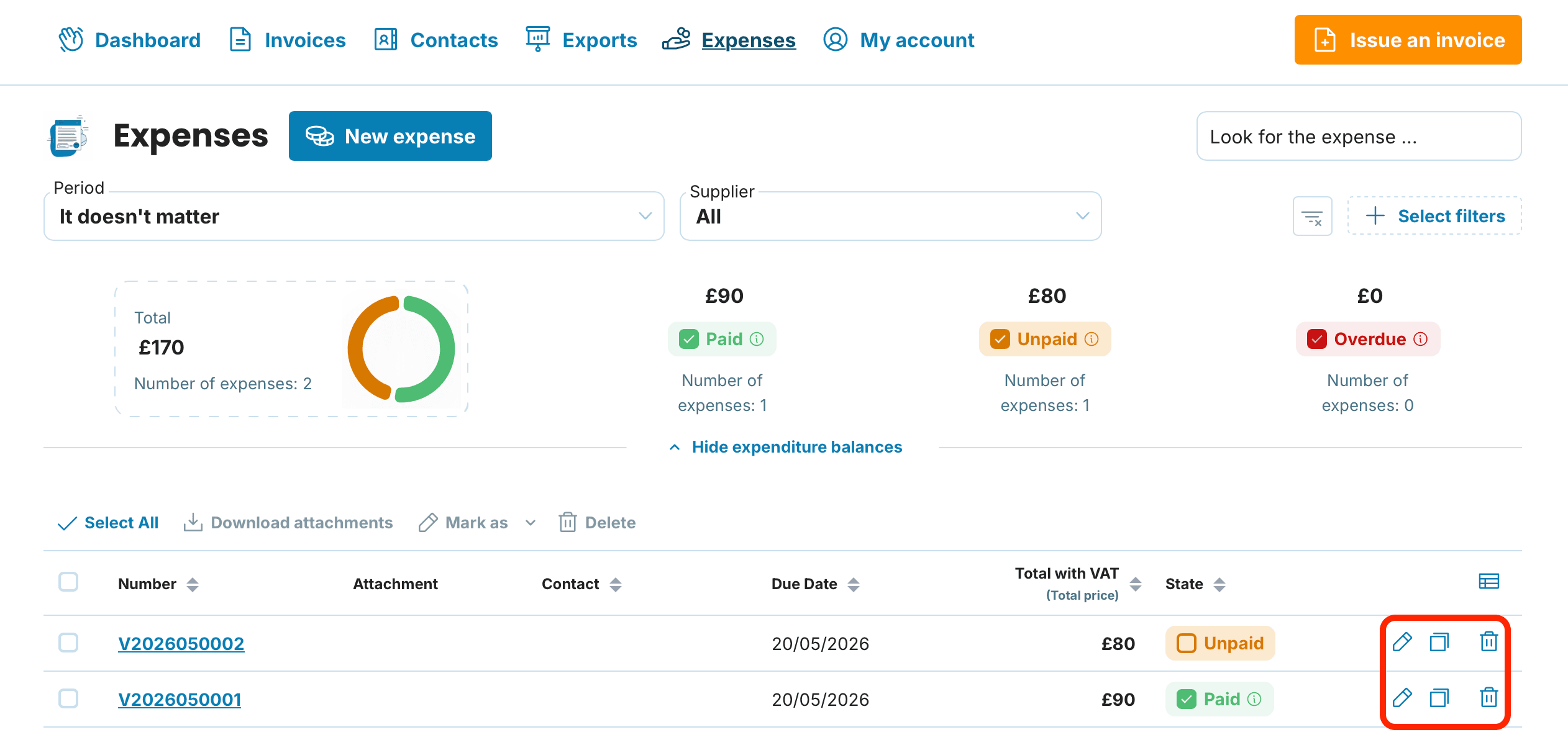
Three handy options sit to the right of each expense:
Duplicate — useful for recurring expenses (monthly subscriptions, rent). Rather than re-typing, duplicate and adjust the date and amount
Edit — you can amend any document at any time (for example, to attach a forgotten receipt)
Delete — removes the expense from the list
Expenses, VAT returns and MTD for Income Tax
Logged expenses are the foundation for two key HMRC obligations:
VAT returns — if you're VAT-registered, every business purchase with input VAT you want to reclaim needs to be in your records. Your VAT return software pulls these figures to file with HMRC under Making Tax Digital for VAT.
Self Assessment / MTD for Income Tax — from April 2026, sole traders and landlords with income over £50,000 must keep digital records and submit quarterly updates to HMRC under Making Tax Digital for Income Tax. Allowable expenses reduce your taxable profit either way — what changes is the process for recording and reporting them.
Tips for stress-free expense tracking
Log expenses as you go, not at the year-end. A pile of stored-up receipts is demotivating and increases the chance you'll miss something
Upload photos of receipts straight into the app. It saves time for you and your accountant — nothing to dig out later
Double-check the VAT rate. The UK has 20 % standard, 5 % reduced and 0 % zero rates — the wrong rate skews your reclaim
Duplicate recurring expenses. Monthly subscriptions, rent and phone contracts can be entered once and then copied each month
Frequently asked questions
Can I reclaim VAT on every expense as a VAT-registered business?
No. You can only reclaim input VAT on purchases that relate to your business activity and are supported by a valid VAT invoice from a VAT-registered supplier. Purchases from non-VAT-registered suppliers or for personal use don't qualify.
What if a receipt doesn't show the supplier's VAT number?
Retail receipts up to £250 (including VAT) can be less detailed and still support a VAT reclaim. Above that, the supplier's VAT number is required — ask for a full VAT invoice.
How do I keep track of expenses when I have hundreds of them?
Use the sortable columns (date, supplier, amount) and add notes against individual entries. Documents with an uploaded attachment are always retrievable, so you don't have to hunt through boxes of paper.
Should I claim actual expenses or the £1,000 trading allowance?
Use whichever method gives you the lower taxable profit. If your real business costs are under £1,000 a year, the trading allowance is simpler. If they're higher, claim actual expenses. You can't claim both.
Can I add an expense retrospectively — for example, a receipt from last year?
Yes, you can add expenses retrospectively without restrictions. The important thing is to enter the correct supply date — it determines which VAT period or tax year the expense relates to.
How long do I need to keep paper receipts after uploading them to the app?
HMRC generally requires you to keep business records for at least 5 years after the 31 January Self Assessment deadline for the relevant tax year (or 6 years for VAT records). A clear digital scan is acceptable for HMRC purposes, but check your accountant's view on retaining originals for high-value items.
Does MyInvoiceOnline file my VAT return or MTD updates with HMRC?
No. MyInvoiceOnline isn't HMRC-recognised MTD software. We help you keep digital records of your expenses, but you'll need MTD-compatible bookkeeping software or your accountant to submit returns to HMRC.
Tidy expenses mean a calmer head when tax season comes round. Keep everything in MyInvoiceOnline in one place and you'll save time for yourself — and your accountant.
