Exports in MyInvoiceOnline – Quick and Simple Guide
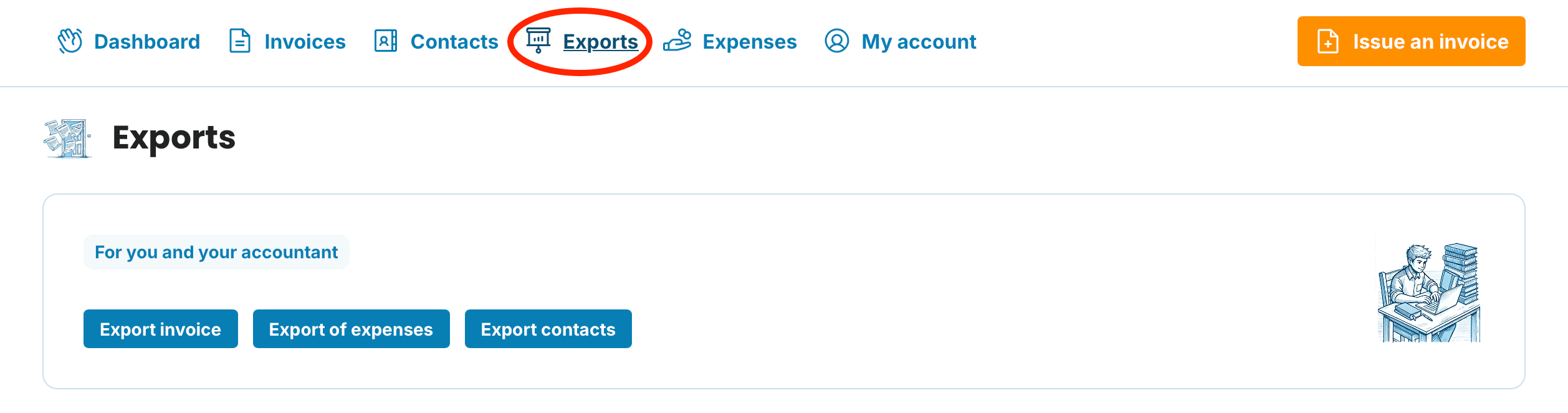
Where to find Exports
Once logged in, click Exports in the top navigation bar. You'll find three options: Export Invoice, Export of expenses and Export contacts.
Export invoice
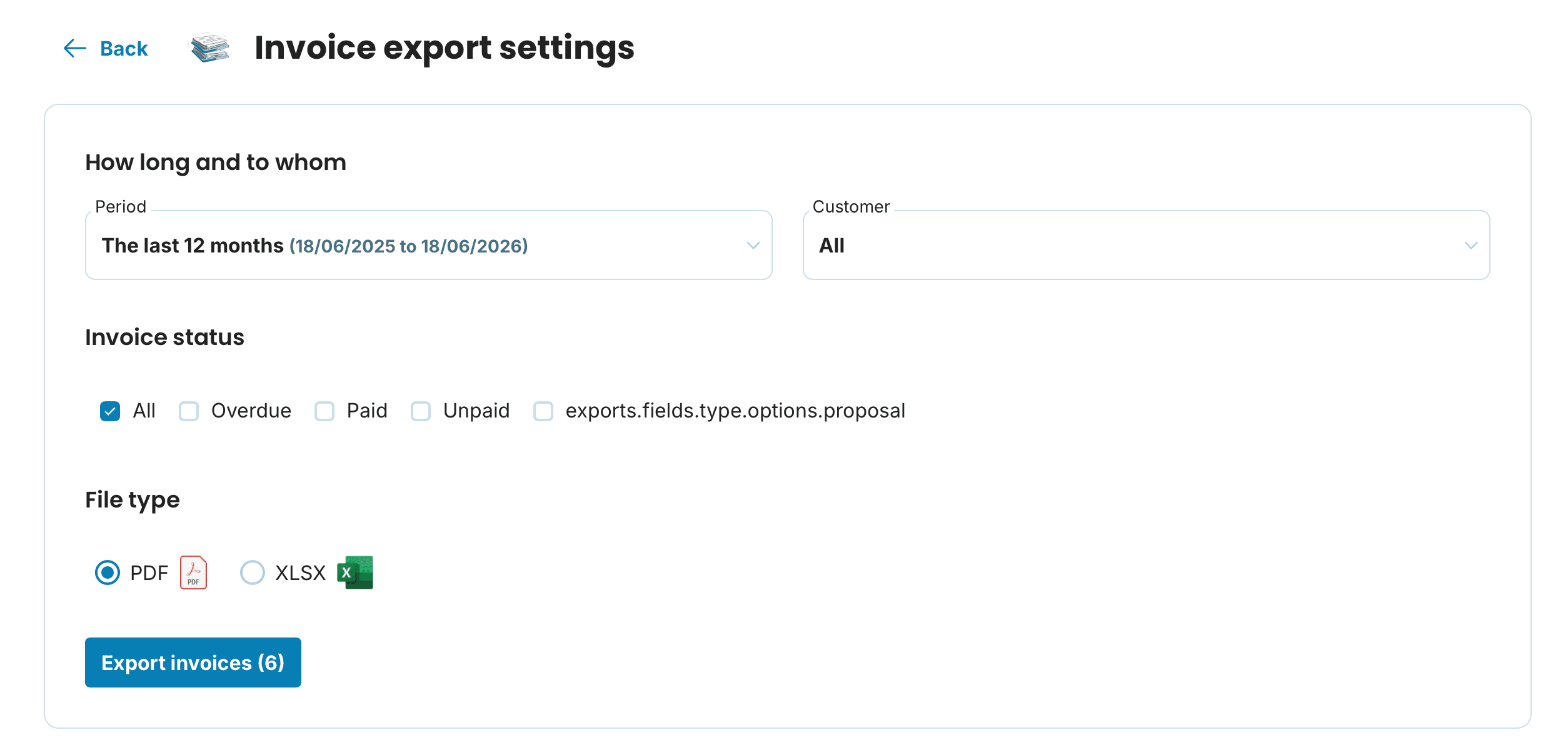
To download your invoices — for example to share with your accountant — click Export invoice.
You can then filter by:
Period – defaults to the last 12 months; choose from today, last week, last month, last quarter and more, or set a custom date range.
Customer – defaults to all customers; expand the menu to select a specific one.
Invoice status – choose all invoices, or filter by paid, unpaid, overdue or draft.
File format – select PDF for print-ready copies, or XLSX for a spreadsheet you can open in Excel or Google Sheets.
Click Export invoice and the file will download to your computer.

Export of expenses
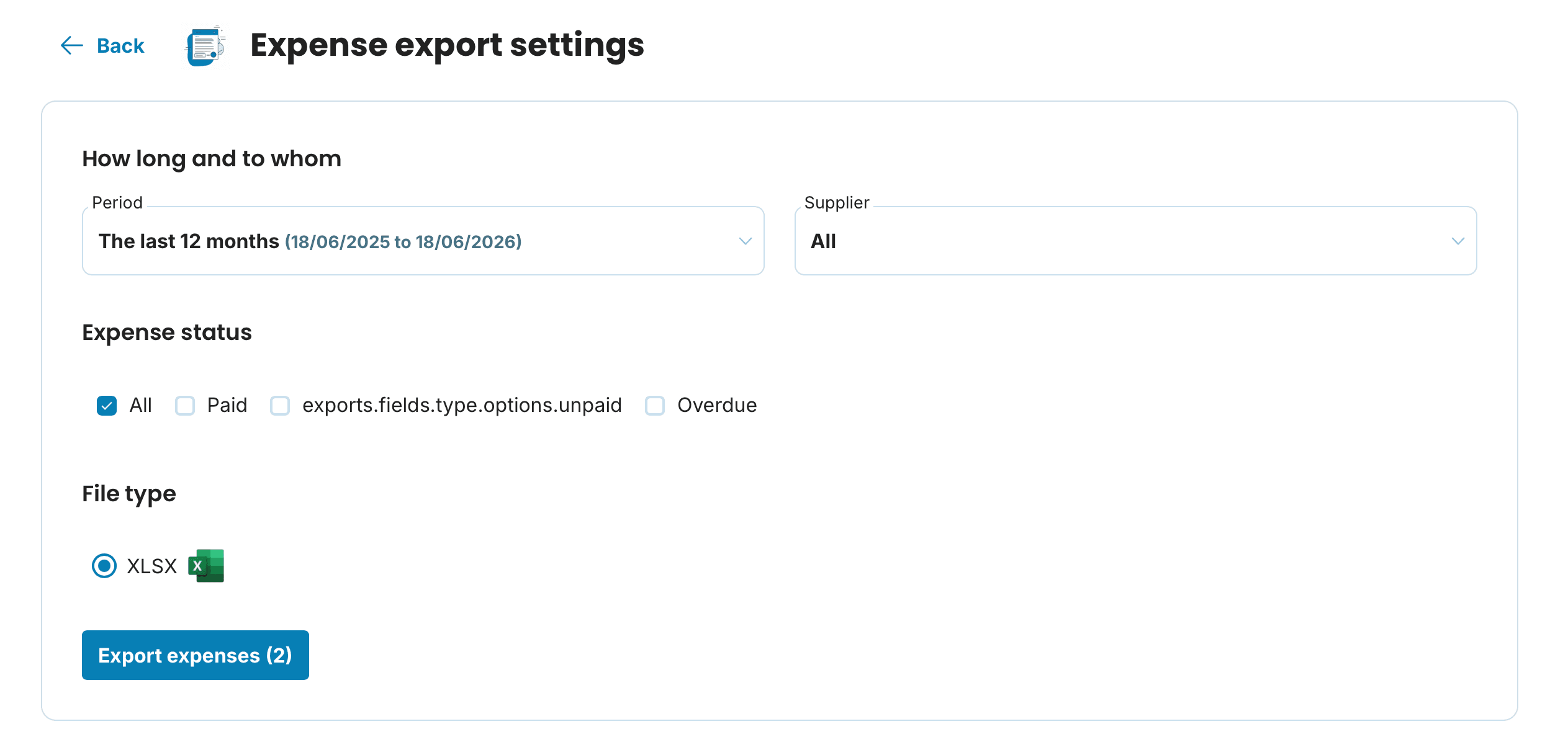
You can export your expenses just as easily — handy if you want all your costs in one organised spreadsheet.
Click Export of expenses.
Select a period and, if needed, a specific supplier.
Set the expense status – all, paid, unpaid or overdue.
Click Export of expenses and download the file in XLSX format.

Export contacts
Need all your saved contacts in one place? Use the Export contacts feature.
Click Export contacts.
-
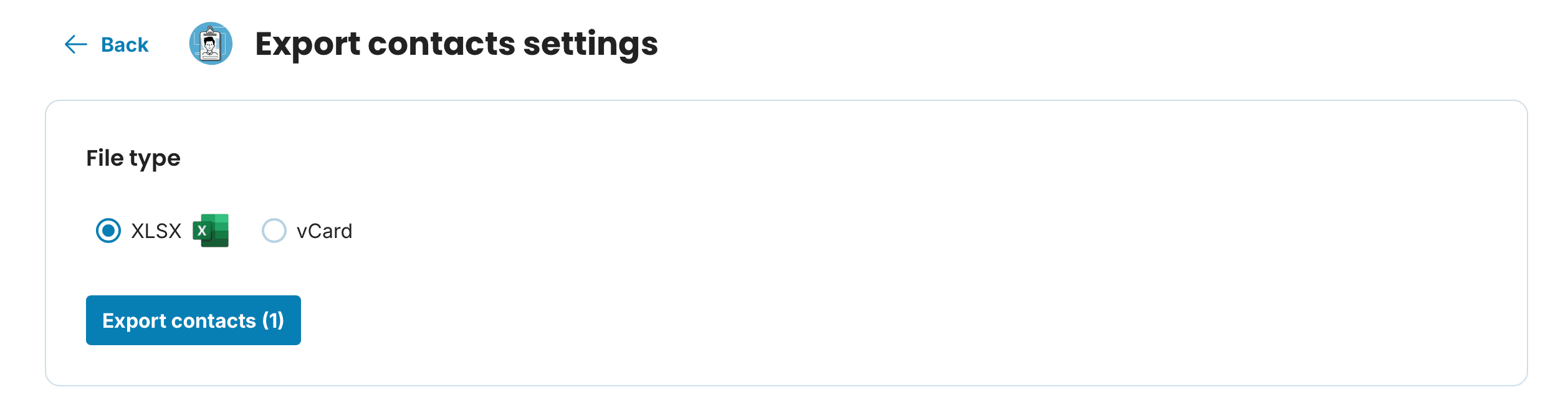
Choose your format:
XLSX – a spreadsheet for Excel or Google Sheets; useful for overviews, bulk emails or marketing.
vCard (.vcf) – the standard contact card format; import it into your phone's address book, email client or CRM.

Exports as a data backup
Exporting your invoices and expenses regularly is a simple way to keep a copy of your data outside the application. It's worth doing at the end of the tax year, when switching accountants, or any time you might need to produce documentation at short notice.