Changing your login information
When logging into your MyInvoiceOnline.co.uk account, you'll need two key pieces of information:
The e-mail address you used during the registration process.
The initial password, which was sent to your registered e-mail after you signed up.
Your email and password are shared by all businesses under your login. When you change your password, the new one applies to signing in to all your businesses.
🔐 Changing Your Password
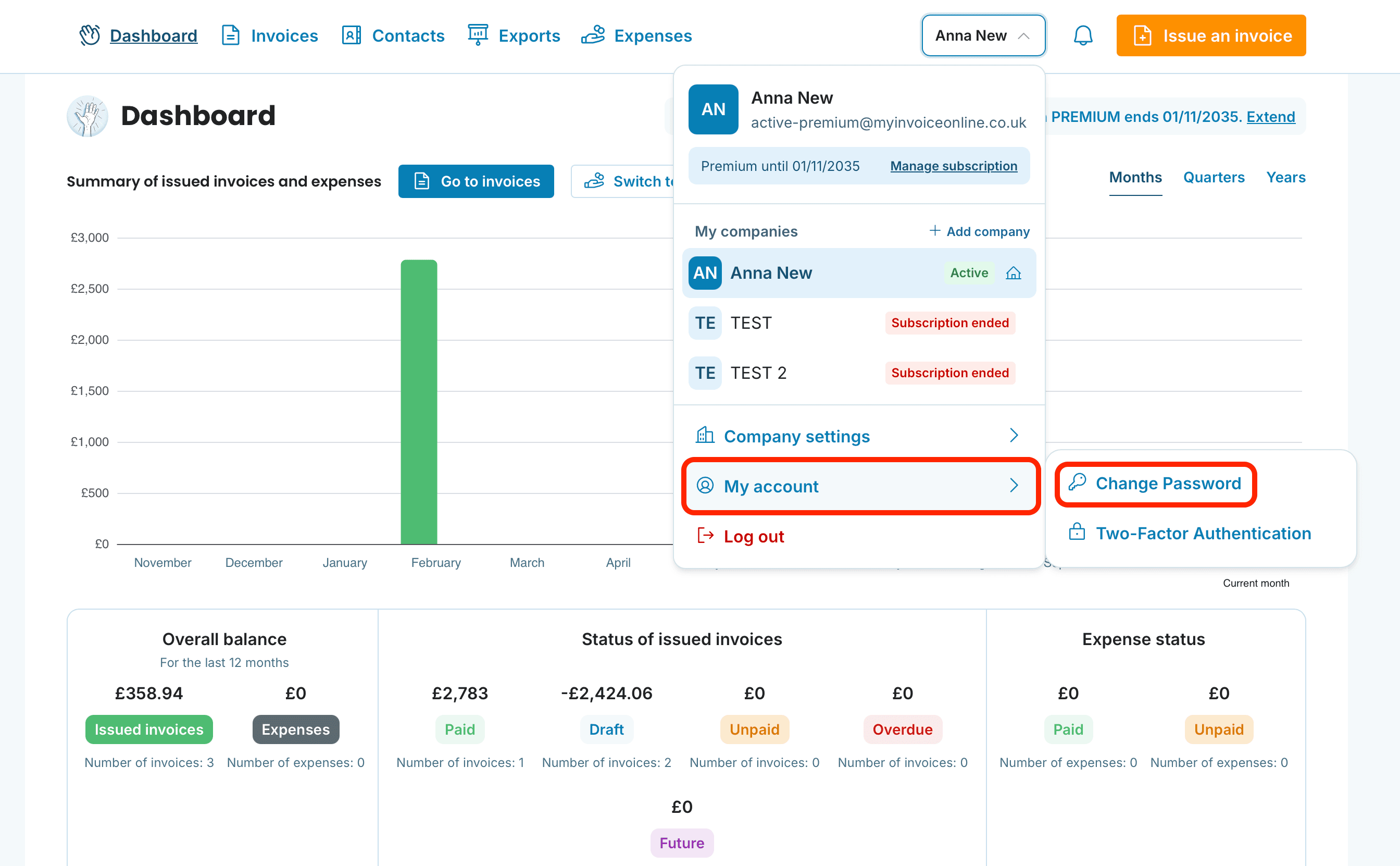
Need to update your password? It only takes a moment. You can update your password anytime in the business menu under My account – Change Password.
Sign in to your account.
Click the name of your business at the top right. The business menu opens.
In the menu, choose My account and then Change Password.
Enter your current password, then type and confirm your new password.
Click Save to apply the changes.
It doesn't matter which business you're currently in; the password changes for your whole login. For even better account security, we recommend enabling two-factor authentication (2FA) alongside your new password. You'll find it in My account too, and you'll then enter a one-time code from your phone when signing in.


Still using the password from registration?
If you’ve never updated your password, the original one-time code sent to your email during registration is still active. If you’ve lost it, just use the Forgotten Password link to set a new one.
📩 Need to Update Your Email Address?
For security reasons, email changes can’t be modified directly through your account dashboard. If you need to update the email associated with your profile, please reach out to our support team at [email protected]. They'll be happy to assist you.

Running several businesses?
If you have been logging in to different businesses with different emails, you don’t need to change your email. You can attach the other account and manage all businesses under one login. See Multiple Businesses Under One Login.