Export Your Invoices to Excel (XLSX) in Just a Few Clicks

How to download invoices to Excel with batch actions

Log in to MyInvoiceOnline.co.uk and open your Invoices.
In the list, tick the invoices you want to download. Need all of them? Click the checkbox in the top-left corner of the list to select them all at once.
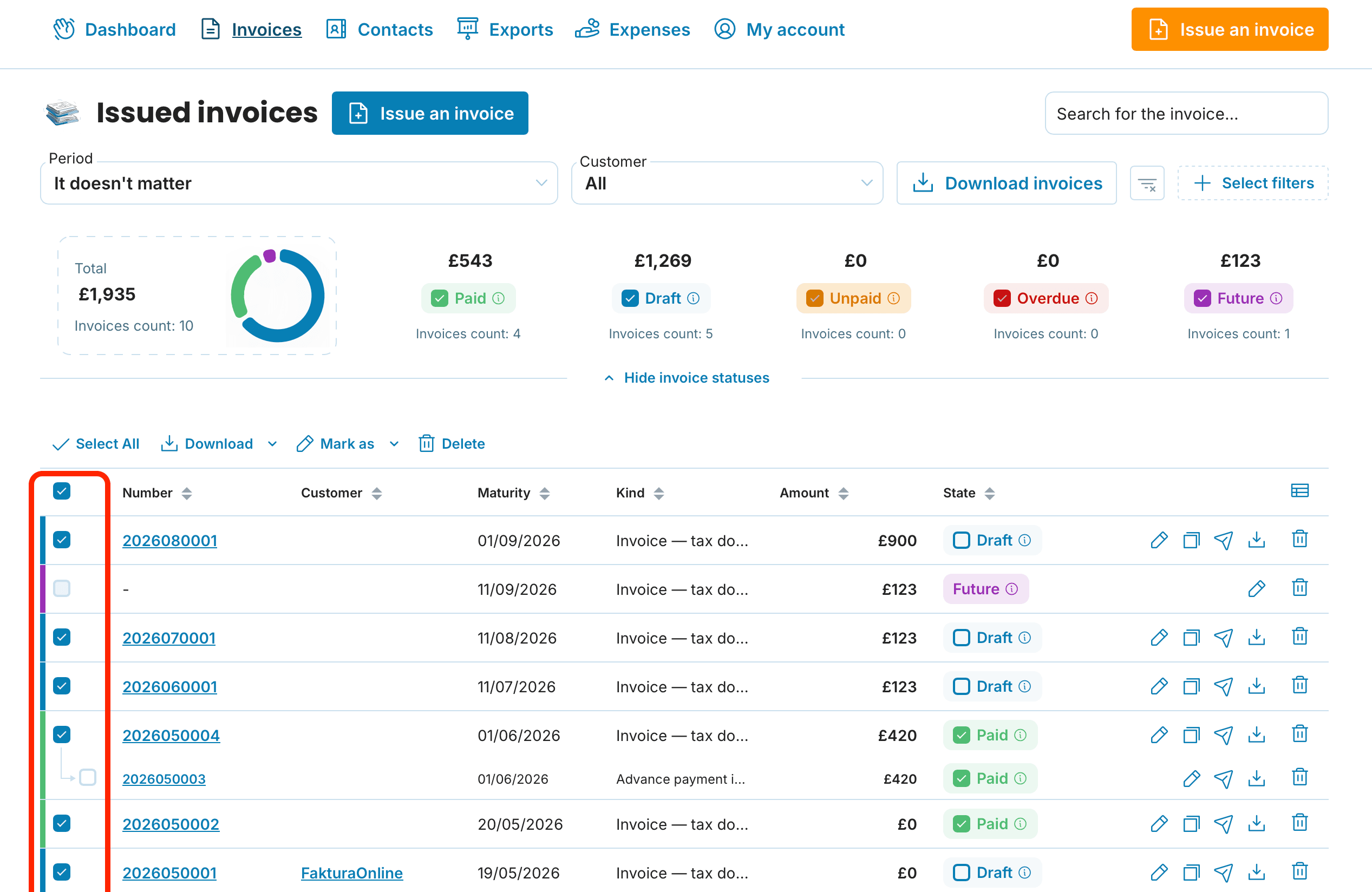
Click Download.
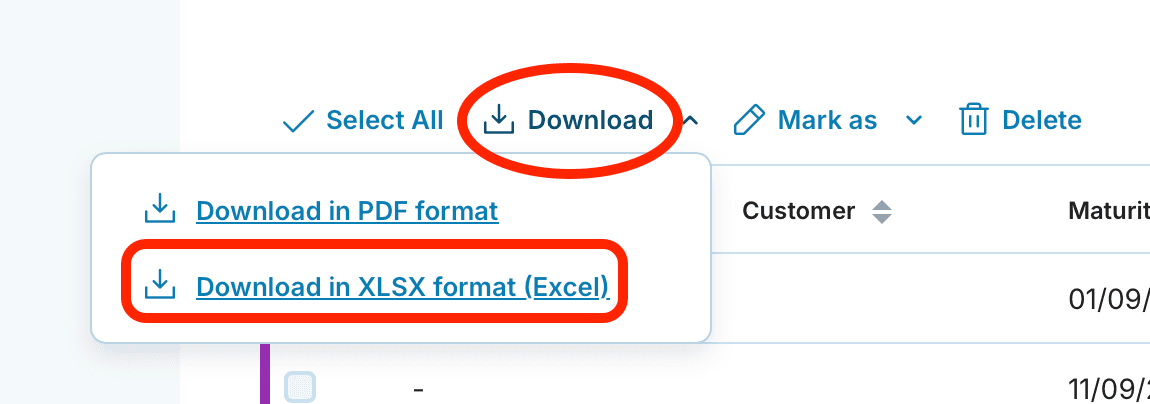
Choose the XLSX format. The spreadsheet downloads straight to your computer.
Only need a specific period? Sort or filter your issued invoices by date or client first, then tick the ones you want.

Second option: bulk export from Exports
Another way is to download invoices from the Exports section.
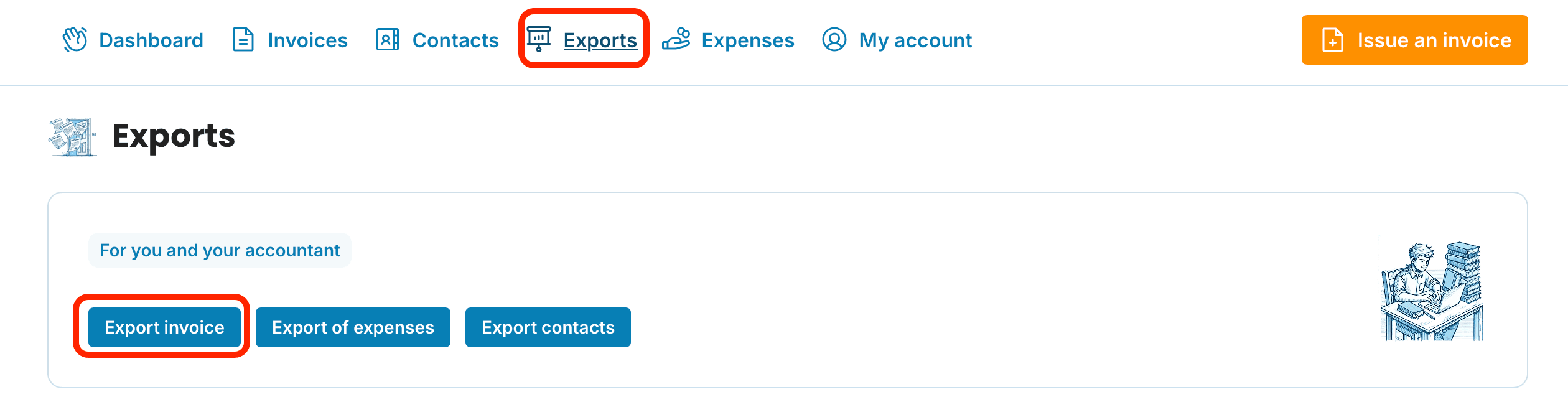
There you can filter invoices by issue date, client, or document type, click Download invoices, and pick the XLSX format.
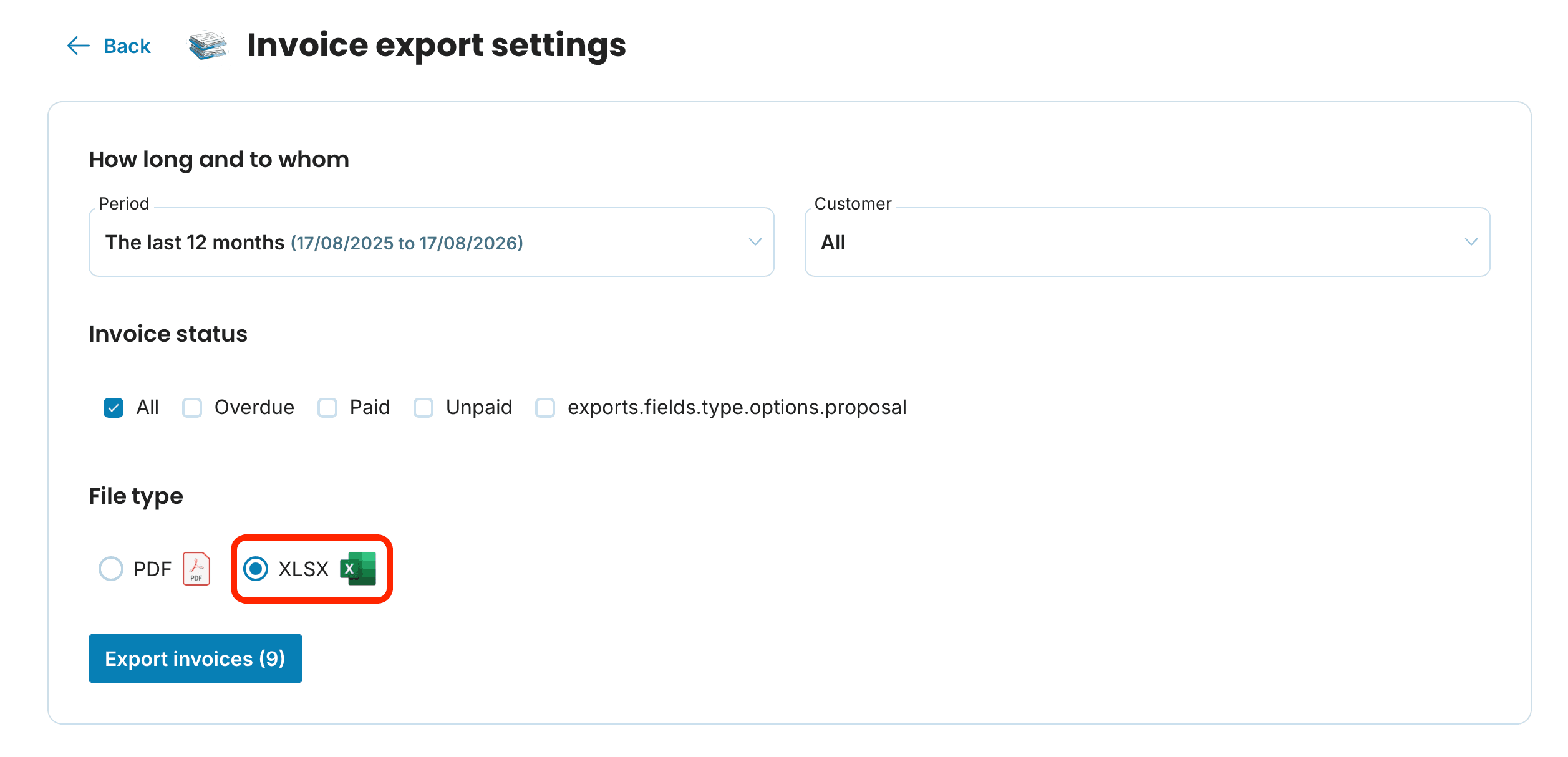
It's handy when you regularly pull the same slice of data — say, every invoice from a given month or quarter.
Besides XLSX, you can also download your invoices as PDF here.

Sending everything to your accountant? See the guide on bulk-exporting to PDF and XLSX and choosing the right format.
What an invoice spreadsheet is good for
Exporting to a spreadsheet isn't busywork — in Excel you can do things the invoice list won't let you:
Revenue at a glance. Total up what you invoiced this month, this quarter, or across the year — handy when you're pulling figures together for your Self Assessment or VAT return.
A clean handoff to your accountant. Instead of dozens of separate PDFs, send one file with every issued invoice.
Payment tracking. Sort by the columns in the file to quickly spot what's still unpaid.
Your own analysis. A pivot table by client shows who brings in the most revenue.
A copy of your records. Keep your data outside the app as your own archive.
What formats can I download besides XLSX?
Alongside the XLSX spreadsheet, you can download your invoices as PDF.
Do I need a paid tariff to export to Excel?
Yes. Batch actions and XLSX export are part of the Premium tariff. You can try them free during your 5-week trial.
Can I open the XLSX file in something other than Excel?
Yes. It opens in Google Sheets, LibreOffice Calc, and Apple Numbers.
How do I download only invoices from a specific period?
Filter your issued invoices by date, tick those invoices, and choose Batch Actions → XLSX. You can also filter inside the Exports section.
