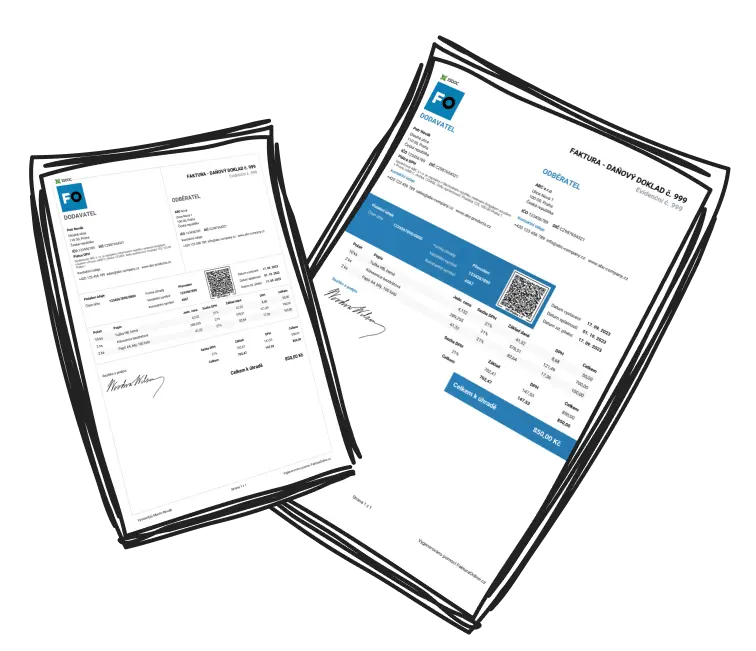
Guidelines for Exporting Invoices from MyInvoiceOnline.co.uk for Accounting Purposes
Why use bulk export
Exporting invoices in bulk saves time whenever you are dealing with multiple documents — for example when you:
Provide your accountant with records for the month or quarter
Pull invoices into your accounting software
Want a spreadsheet overview of issued invoices for your own analysis
Put together an end-of-year document archive

Using the Exports feature
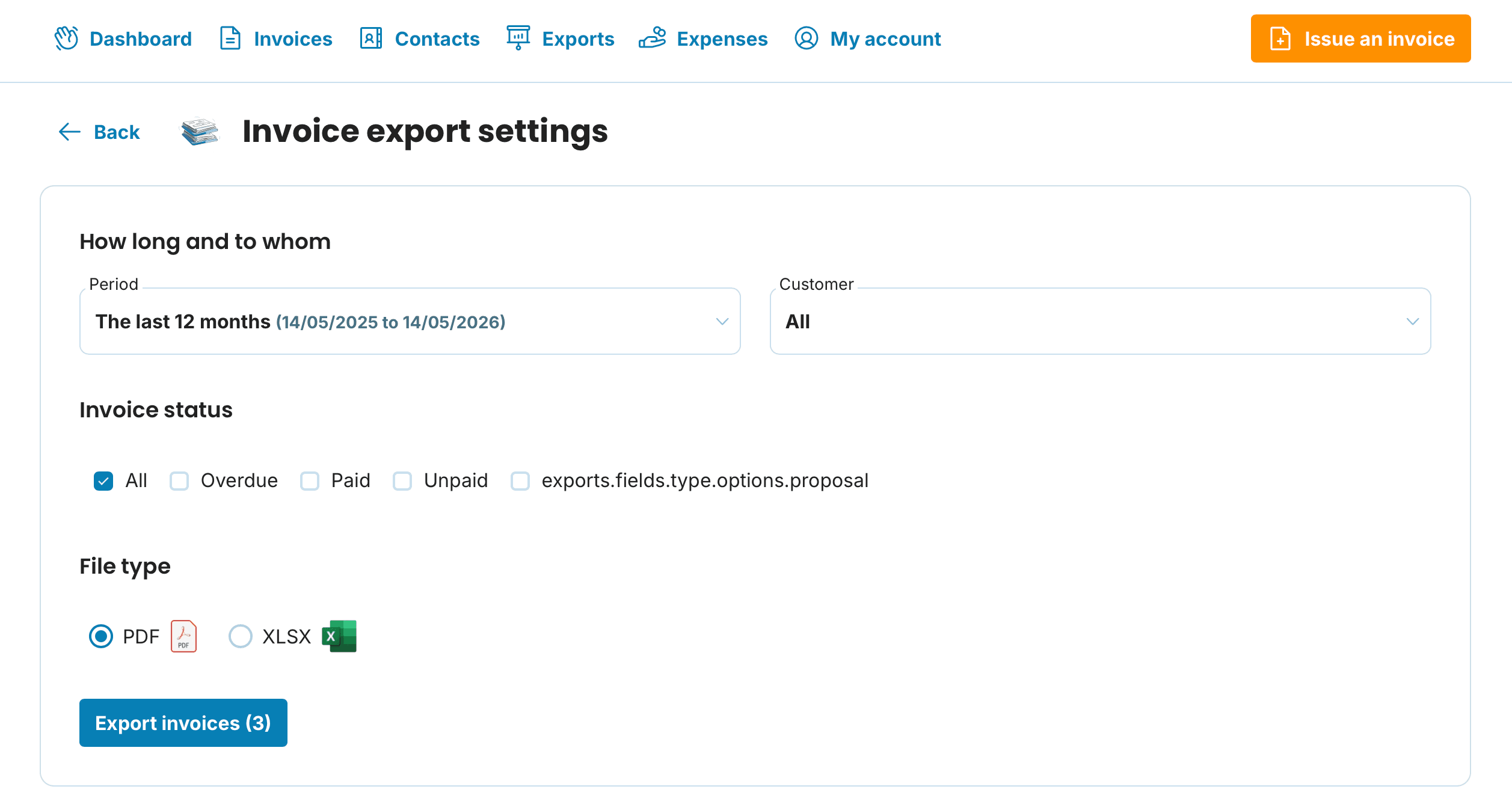
The dedicated Export Invoices function gives you the most control:
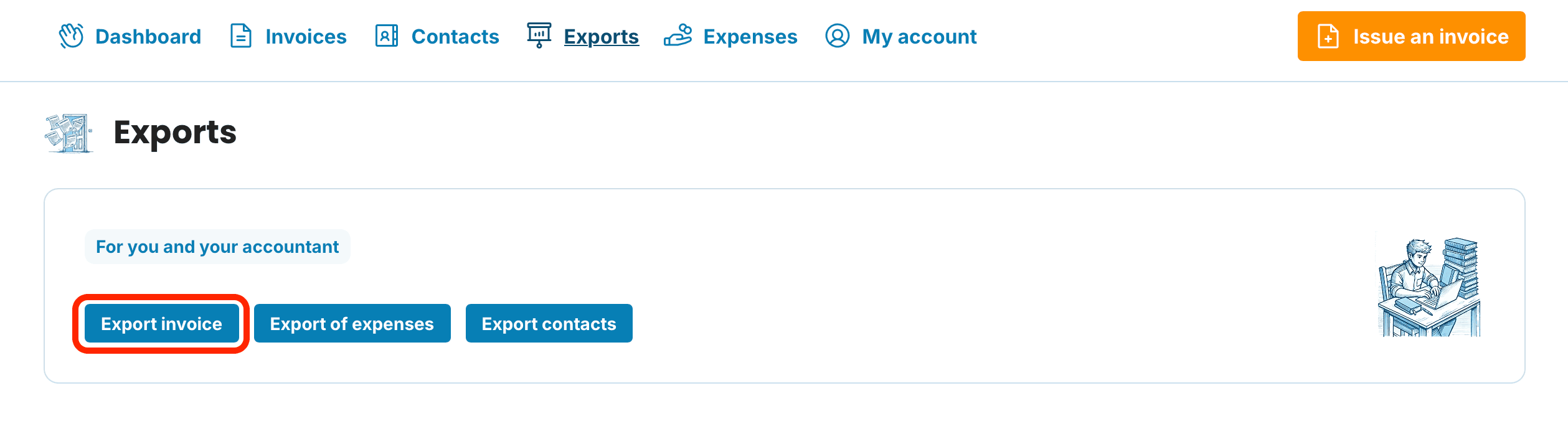
Open Exports in the application header.
Click Export Invoice.
Set your criteria — Period, Client, and Invoice Status — then pick the format you need.
Alternatively, use the bulk download inside Issued Invoices
Head to the Issued Invoices section.
Mark the invoices you would like to export.
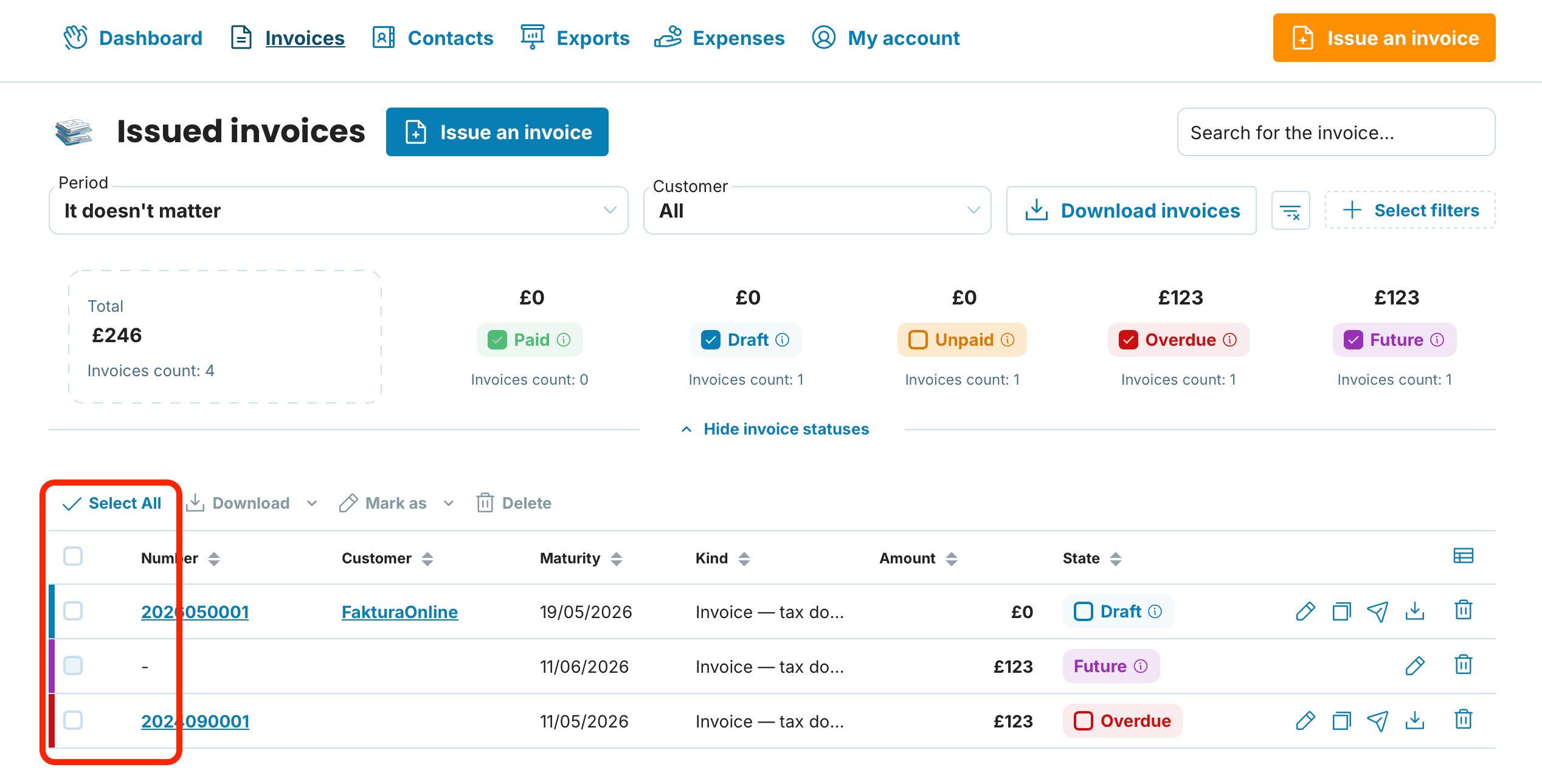
Two approaches work here:
Grab everything — tick the checkbox in the table header to select all
Cherry-pick — tick individual checkboxes beside the documents you need (handy when you are after a particular period or client)

Initiate the download
With your invoices selected, hit the Download button. You will see a menu listing the available formats.
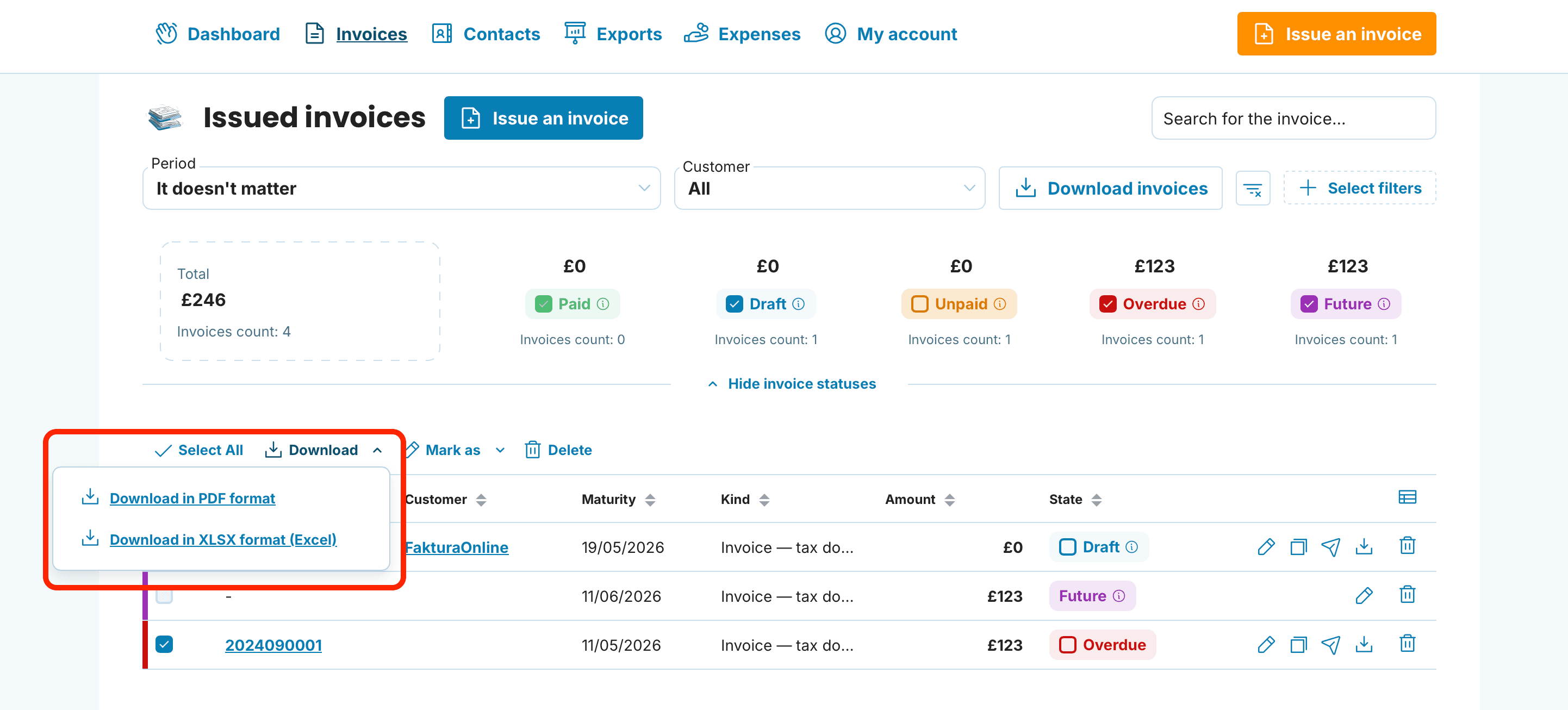
Pick your format
You can choose from:
Download as PDF
Download as XLSX (Excel)
Choosing the right format
Which option you go for depends on what happens next with the invoices. Here is a quick rundown:
The go-to format for viewing, sharing, and archiving.
Choose PDF when you:
Forward invoices to a client or accountant for review
Keep documents on file for your own records
Need hard copies
XLSX (Excel)
A spreadsheet summarising your issued invoices over a chosen period.
Reach for XLSX when you need to:
Track turnover and keep your own records
Build reports or run analysis (filtering, pivot tables)
Hand over summary figures to someone outside the accounting loop
Bear in mind that XLSX is a reporting tool — it is not designed for import into accounting packages.
Troubleshooting
Your accountant needs a format we do not list
PDF is accepted virtually everywhere. If your accountant has a particular requirement, PDF is generally the safest bet to start with.
The downloaded ZIP is empty or incomplete
Check that you actually selected invoices before running the export. Without a selection, the bulk action has nothing to download.
I only need invoices from a certain period
Apply the date filter above the invoice list (issue date), tick the filtered results, and then trigger the bulk action.
Bulk exporting from MyInvoiceOnline takes the legwork out of gathering your documents — a handful of clicks and everything is ready in the format you need.