
Invoice Designs

Share on:
Invoice Designs
A professional invoice isn't just about having the correct details – the visual impression matters too. With MyInvoiceOnline, you can choose from two basic designs and customise the colours so your invoice matches your company branding.

How to Set Up Your Invoice Design

  1. Expand the General Settings section

At the bottom of the invoice creation form, you'll find a dropdown menu called Settings. Click on View setting to open it.

Settings  preview
  1. Select your preferred design

In the Style section, you'll see the option to choose between Simple and Modern designs. Simply click between the options to switch designs.
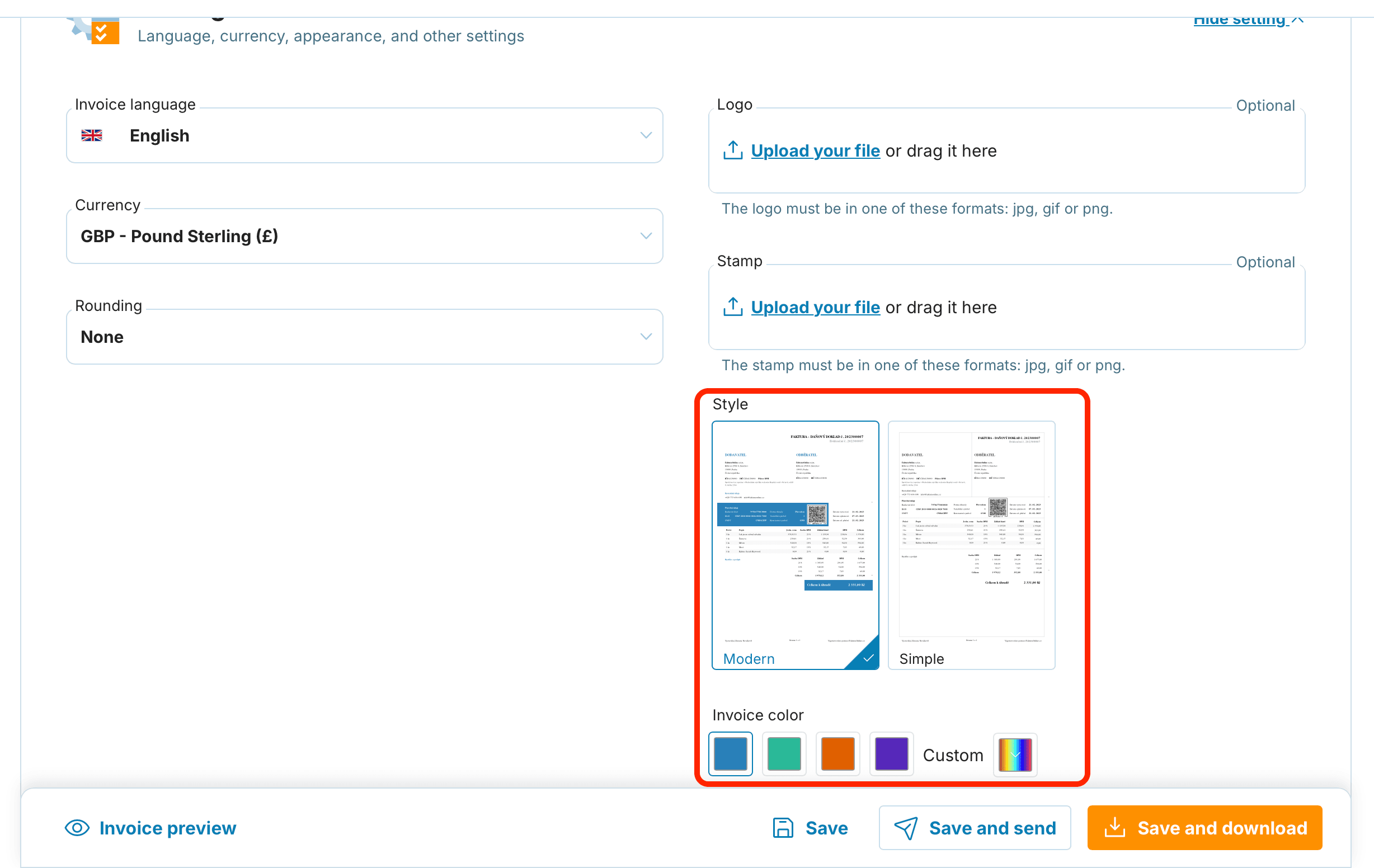

Style designs preview
Box illustration

Which Design Should You Choose?

Simple design: A minimalist option that emphasises clarity. It's ideal for those who prefer a clean look without unnecessary graphical elements.

Modern design: Combines clarity with a more visually appealing presentation. With this design, you can also set a custom invoice colour – either select from a preset palette or enter an exact colour code to match your brand. This way, your invoice can complement your business cards or website design.

If you select the Modern design, a colour palette will appear. You can:

  • choose one of the 4 preset colours

  • or enter your own custom colour (as a code or using the cursor)
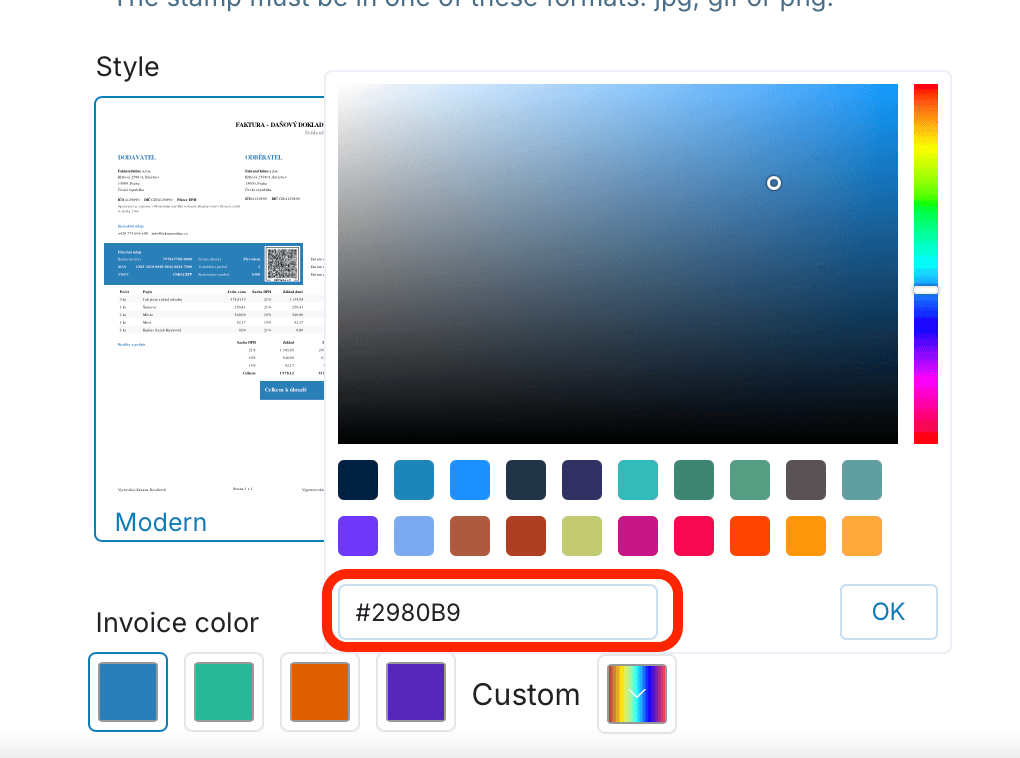
Custom color preview
  1. Check the preview

Before issuing your invoice, click the Invoice preview button at the bottom of the screen. You'll see exactly what the final document will look like and can make any adjustments if needed.
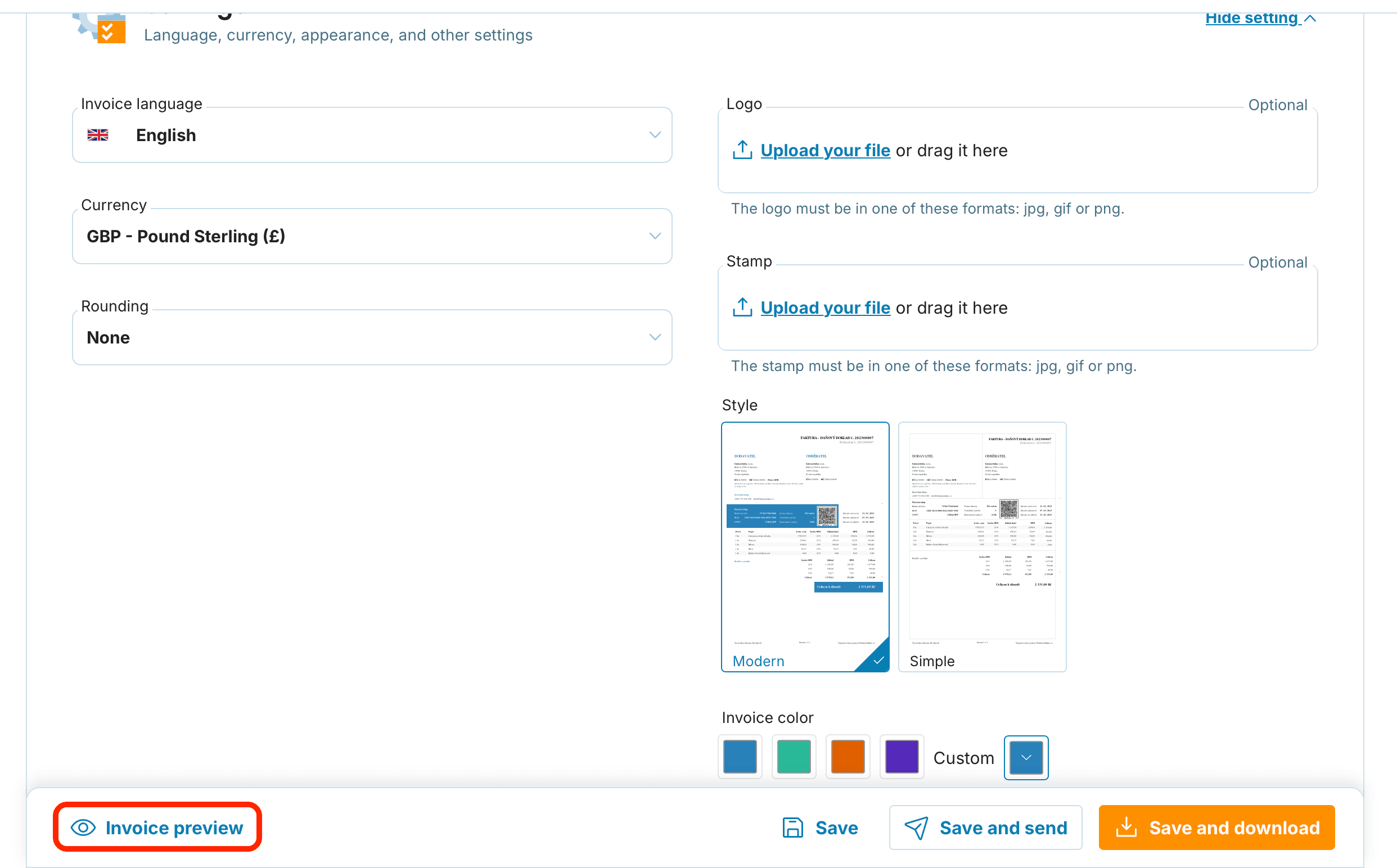
Invoice preview

A professional invoice takes your business to the next level – and with MyInvoiceOnline, you have everything you need to make it look exactly how you want. Choose the design that suits your style and impress your clients.

Related articles

Personalising Your Invoices: Logo, Brand Colours and Stamp
14/09/2026

Every client you invoice opens the document, often more than once. A logo, your brand colours and a stamp turn it into a calling card for your business rather than a plain table. Here is how to set it up.

Export Your Invoices to Excel (XLSX) in Just a Few Clicks
17/08/2026

Your invoices don't have to stay locked in the app. With MyInvoiceOnline.co.uk you can pull them into a single Excel (XLSX) spreadsheet in a couple of clicks — ready to sort, total, or hand to your accountant. Here's how, and what the spreadsheet is good for.

Guidelines for Exporting Invoices from MyInvoiceOnline.co.uk for Accounting Purposes
14/05/2026

Looking to send your accountant a batch of invoices or pull them into your accounting software? MyInvoiceOnline.co.uk makes it easy to export documents in bulk as PDF or XLSX. This guide takes you through each method step by step and explains which format suits your needs.

Recurring Invoices: A Simple Guide to Managing Regular Invoicing
27/04/2026

Want to save time and hassle when issuing the same invoices over and over? The recurring invoice feature lets you automate the entire process and let MyInvoiceOnline handle everything for you. Here's how to set up this feature properly and make the most of it.