Measurement Units
What units of measurement can you use
MyInvoiceOnline offers a preset list of common units of measurement. The default unit is pieces (pcs), but with a single click on the arrow next to the item, you can select another – such as hours, metres or kilograms.
However, you're not limited to the predefined list. If you need a specific unit (such as "per word" or "pack"), simply type it into the field and the system will remember it for future use.
A unit of measurement isn't a legal requirement on invoices in the UK. That said, we recommend including it – it makes checking easier and helps avoid misunderstandings with your client.
How to set a unit of measurement step by step
When filling in the Invoice Items section, click on the I.U. dropdown field
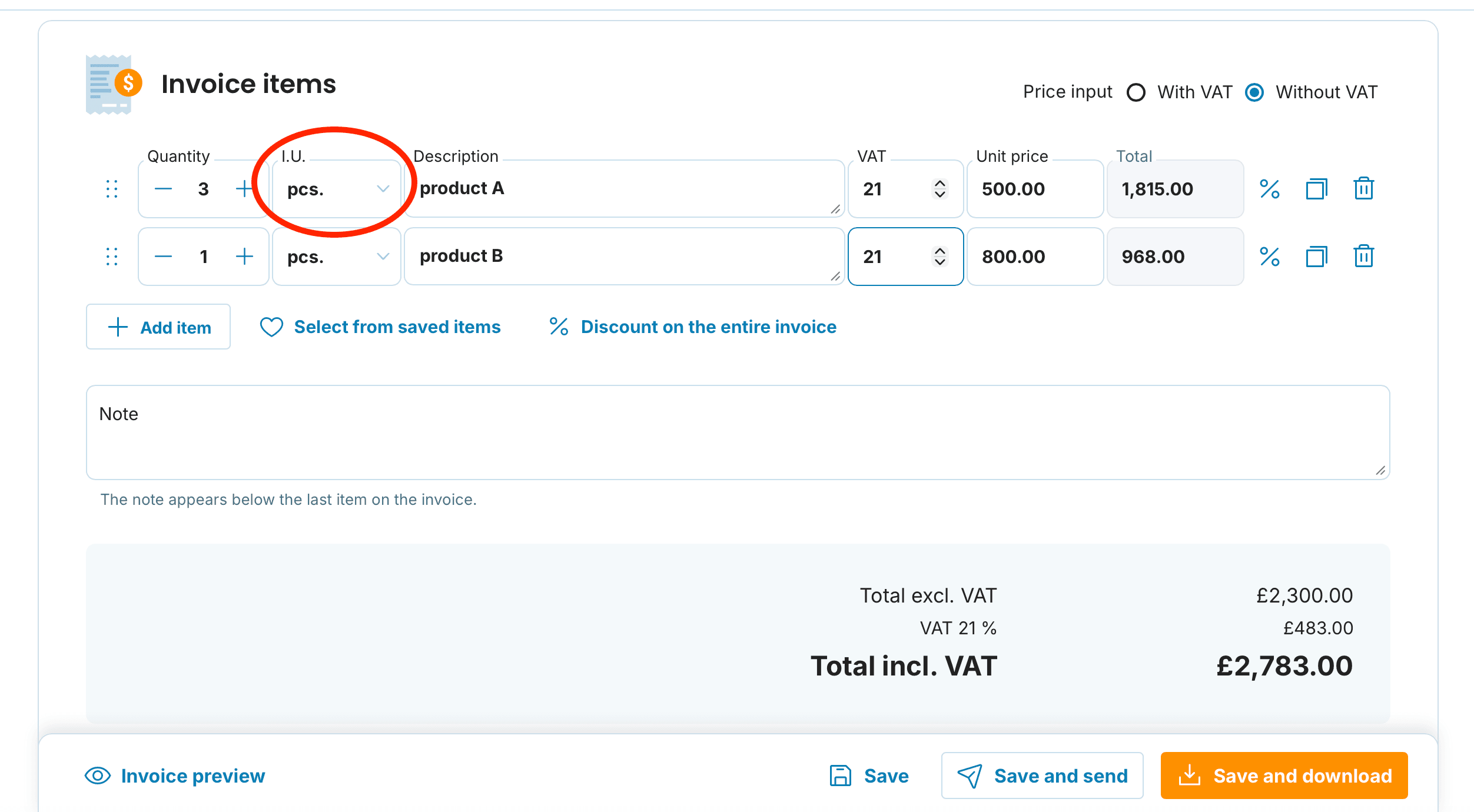
Select from the list, or type your own unit into the field
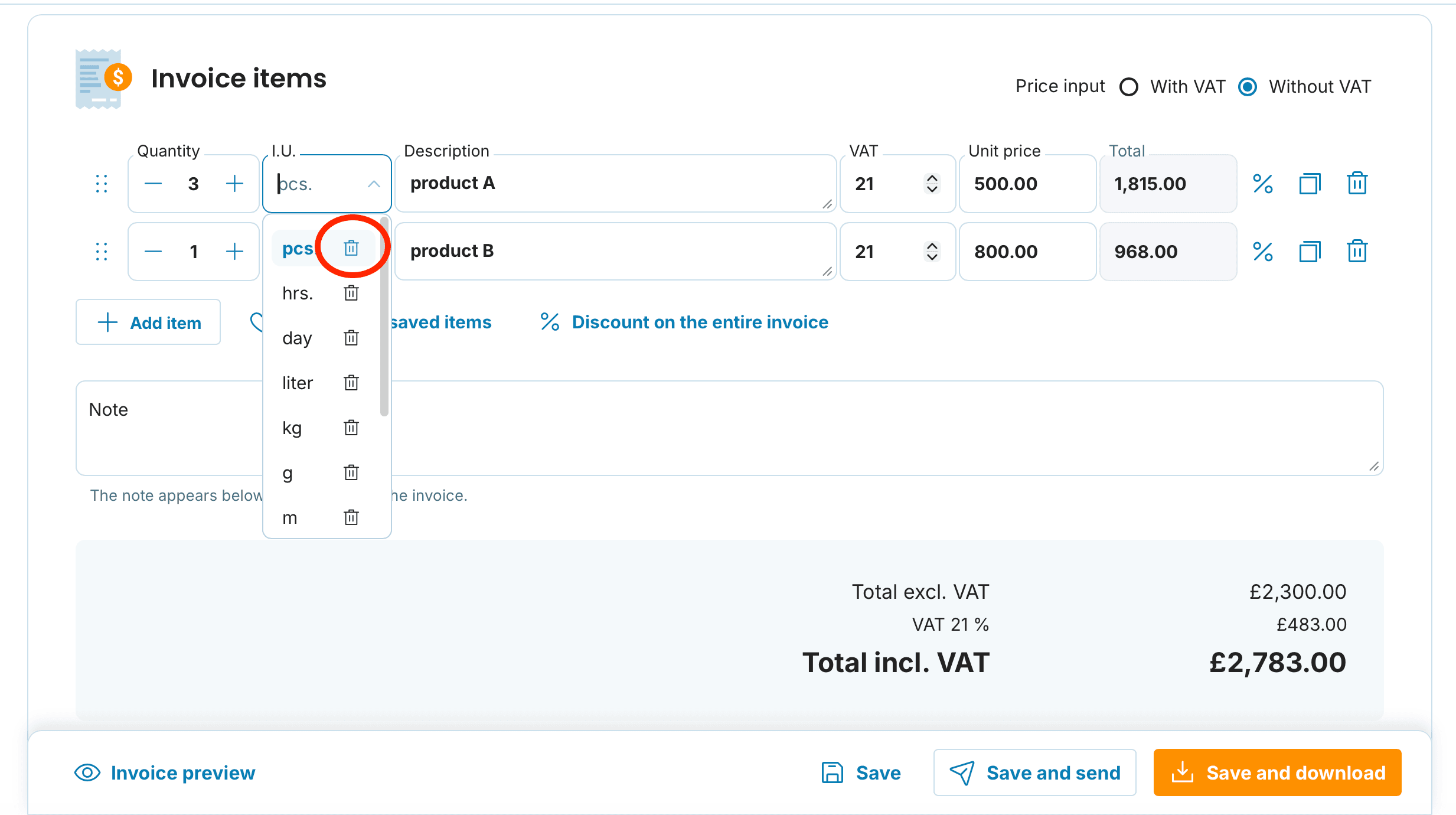
After issuing the invoice, the new unit will automatically be saved to your list
To remove an unwanted unit from the list, click the bin icon

Your choice of unit depends on what you're invoicing:
Tradespeople typically charge for labour in hours (hrs) or pieces, and for materials in metres or square metres.
Developers and IT specialists most commonly invoice hours or man-days (MD). For larger projects, the unit might be the entire project.
Translators typically use per word or per 1,000 words, sometimes also per page.
Designers and photographers charge for hours of work, individual pieces (e.g. retouched photos) or sets.
Online shops work with pieces, packs or kilograms depending on the type of goods.
Consultants most often choose hours or number of sessions.
Leaving the unit field empty
If you'd prefer not to have the unit of measurement field filled in, simply enter a space into the field and it will remain blank.
Saving invoice items
If you invoice a particular item regularly, you can save it to your items list and preset the unit of measurement for that item. You'll find a detailed guide on how to manage invoice items and save them in this article.
