Emailing an Invoice: A Guide to Sending Invoices Electronically
Emailing Your Invoice: Step by Step
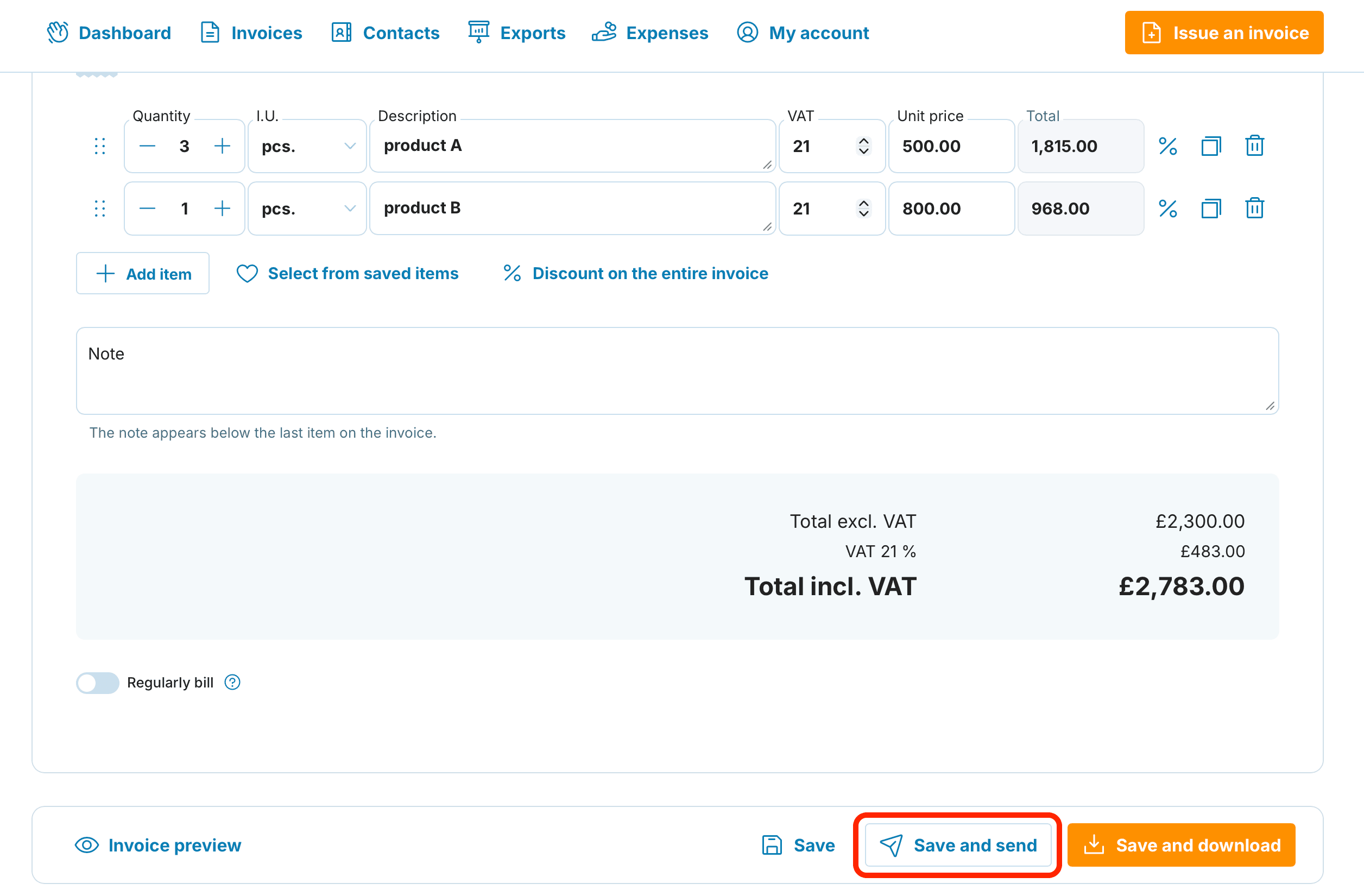
Prepare your invoice in the usual way
Look for the Save and send button in the lower-right area
A dialogue box will appear – enter your client's email address or pick one from the saved contacts
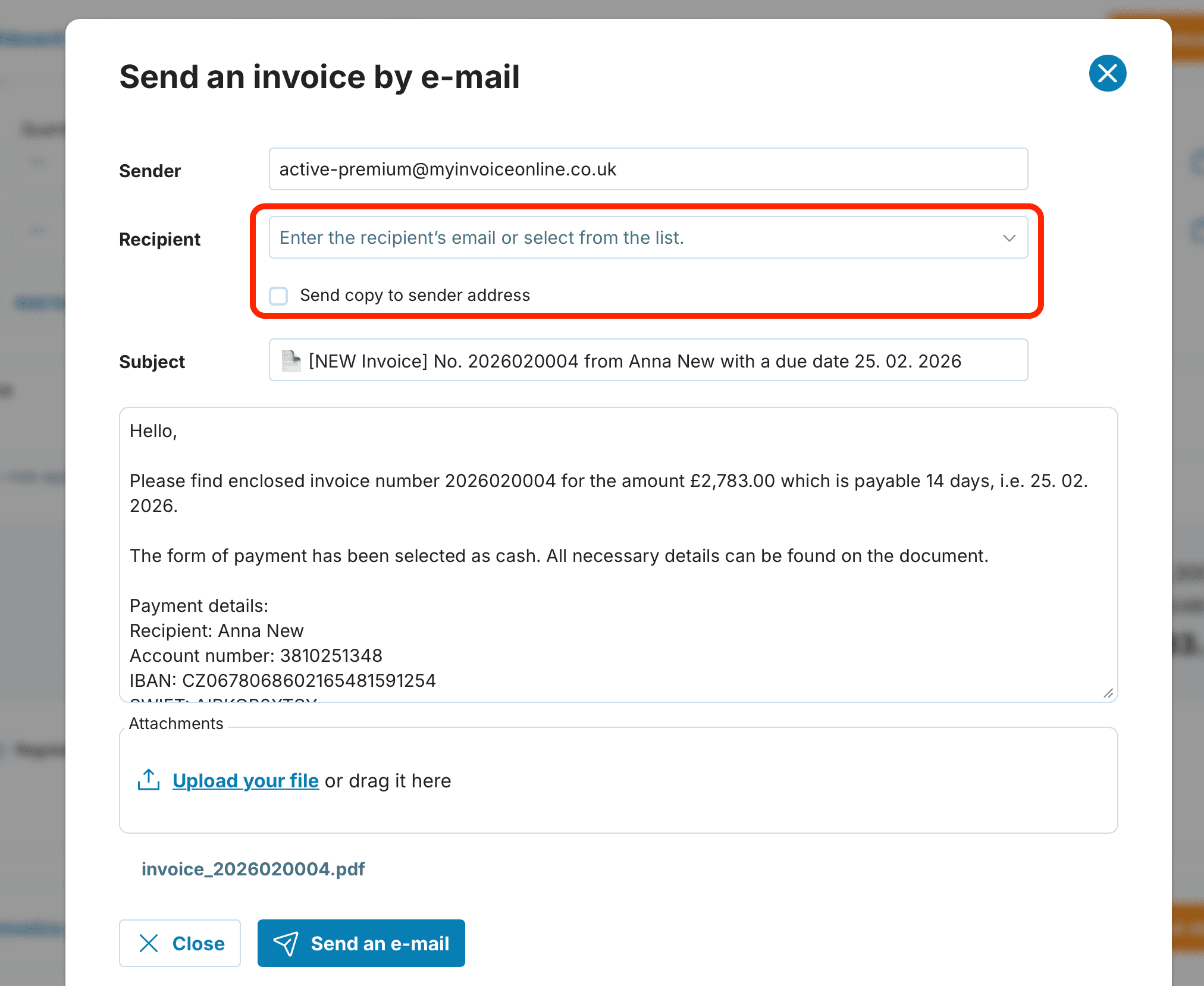
If needed, amend the message text, include yourself on copy, or add an attachment
Press Send an e-mail to dispatch the invoice
Prefer to handle things manually? Use the Issue and Download option instead. This saves the invoice to your device, allowing you to attach it to your own email client or file it locally.
Setting Up Email Templates
-
Save time on repetitive correspondence by creating reusable templates. Head to My Account → Email Templates to configure your default subject lines and message body.
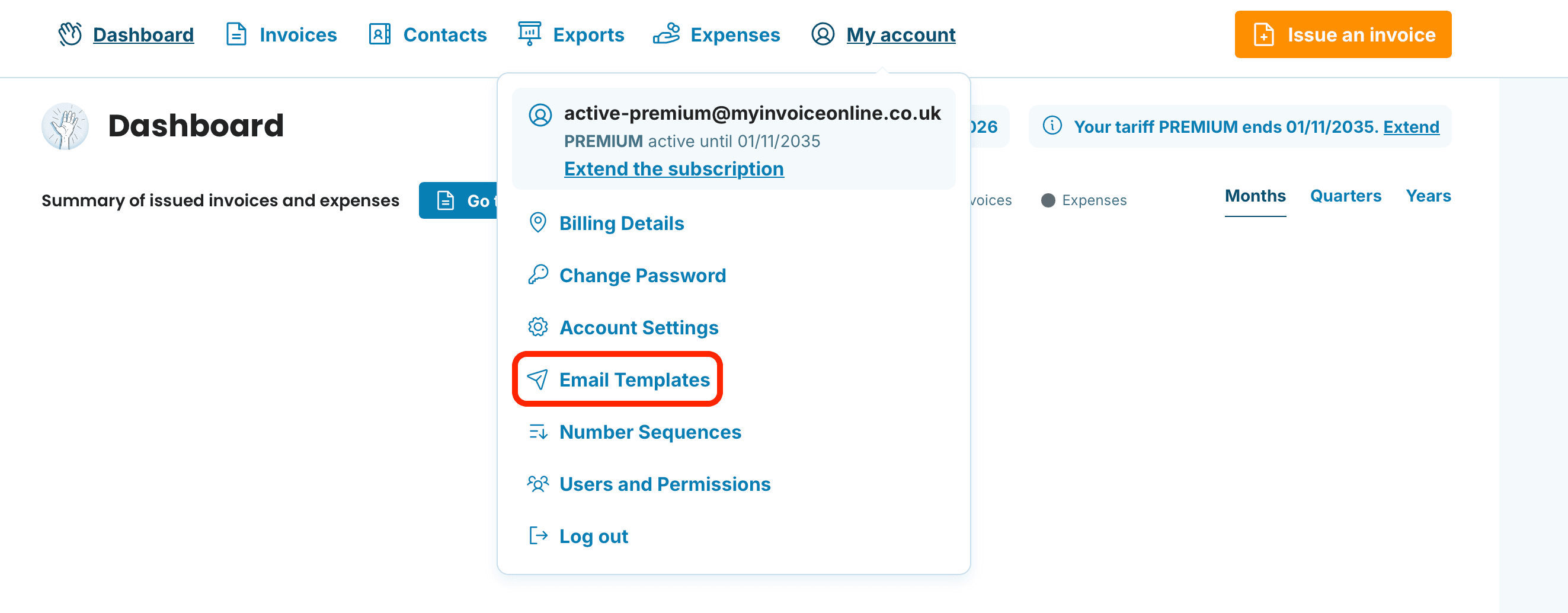
For a detailed walkthrough on template creation, see our dedicated article.
Resending a Previously Issued Invoice
Premium subscribers can email any existing invoice at any point from the Issued Invoices area.
Navigate to Issued Invoices and locate the paper aeroplane icon beside your chosen invoice
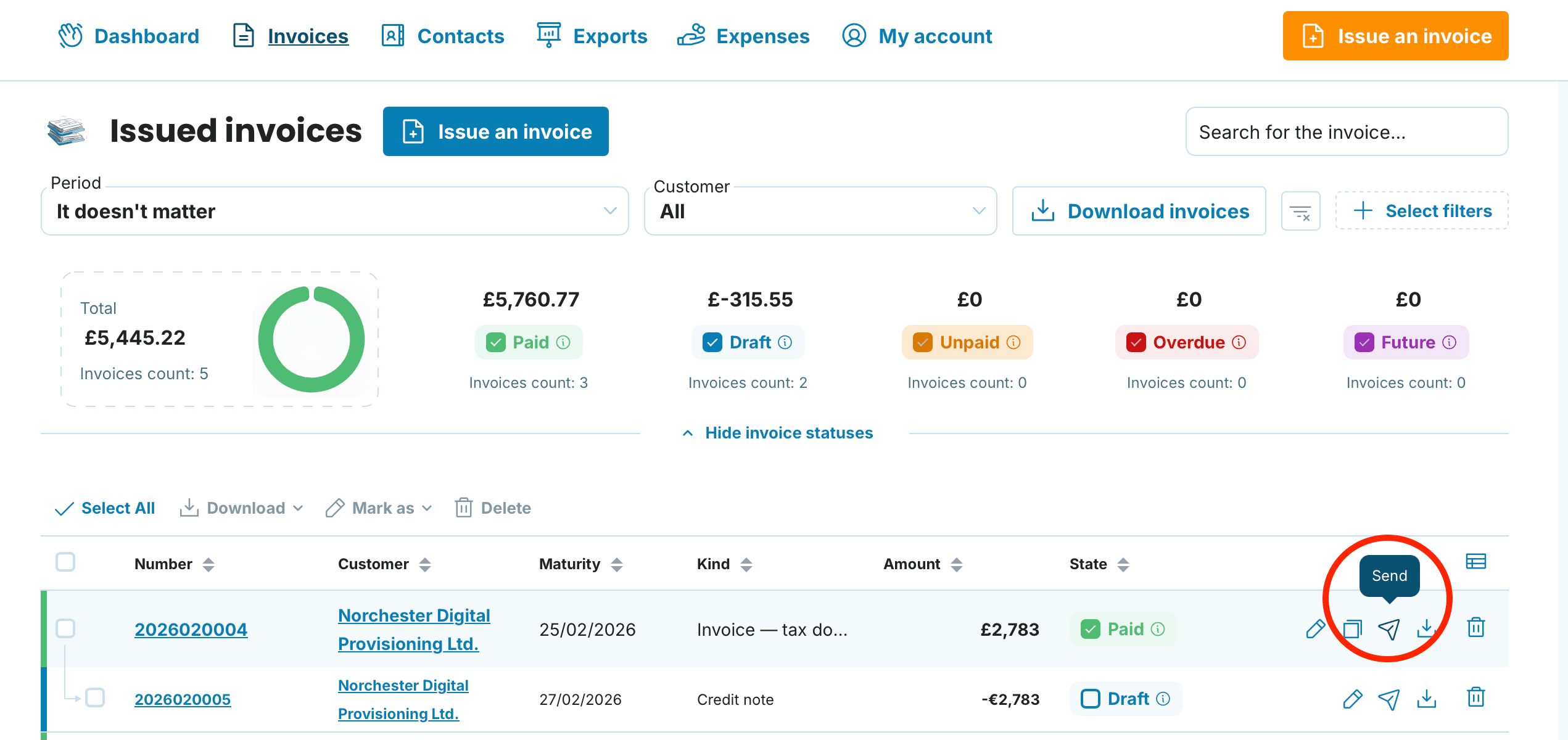
The familiar email dialogue will open – complete the details as outlined above

This function also lets you dispatch a thank-you note once payment clears, or a late payment reminder when the invoice becomes overdue. The Invoice Status feature makes this possible – it automatically selects the appropriate message type depending on where the invoice stands in your payment cycle.
Checking Delivery and Read Status
Want to confirm whether an invoice email reached your client? Here's how to verify:
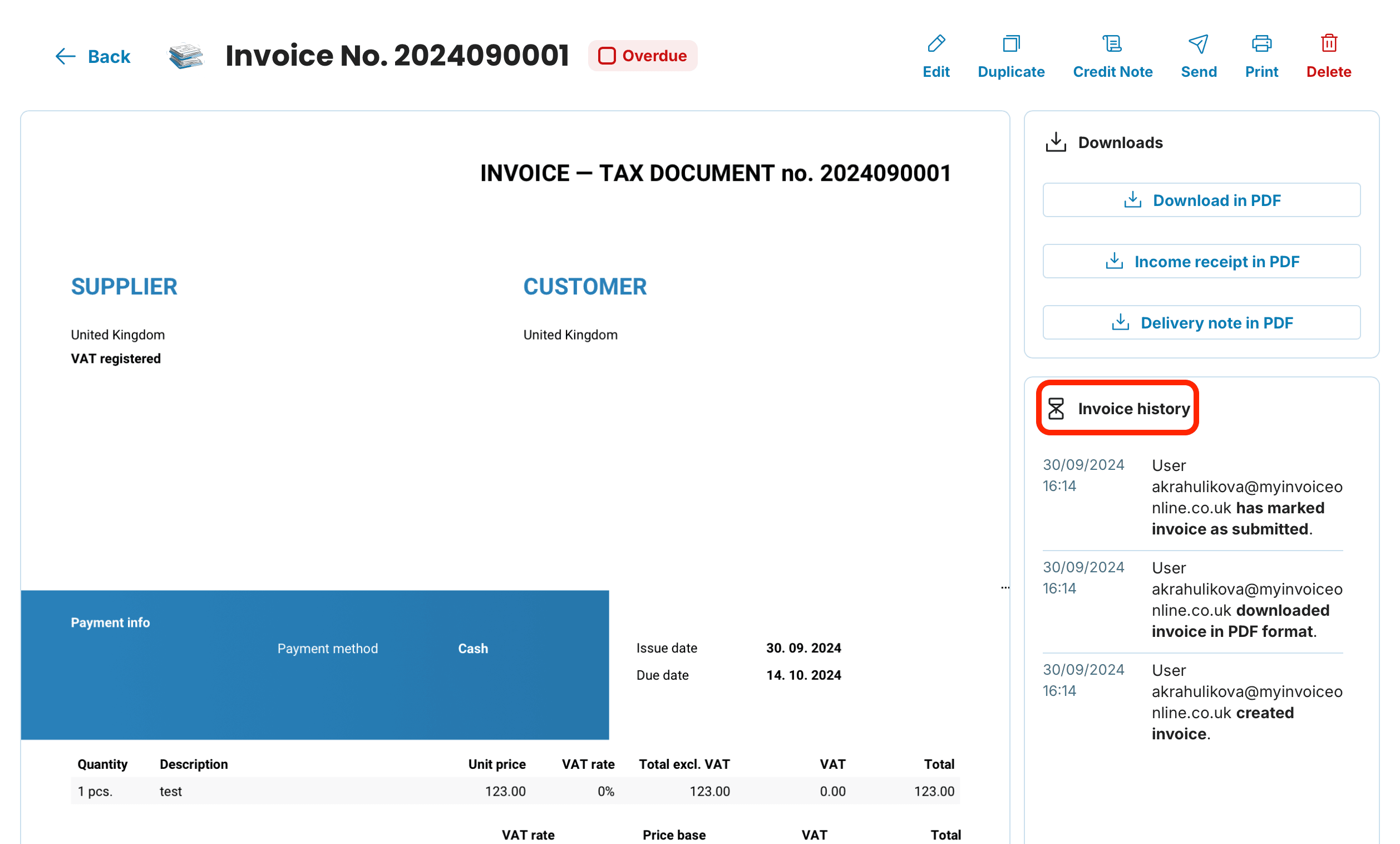
Go to Issued Invoices and click the relevant invoice number
In the sidebar, you'll find Invoice history – this displays when the email was sent, delivered, and opened by the recipient
Emailing invoices through MyInvoiceOnline eliminates the hassle of downloading files and managing attachments separately. Everything happens within the platform, and the built-in tracking means you're never left wondering whether your invoice got through.