Invoice Duplication

Share on:
Invoice Duplication
Issuing repeat invoices doesn't have to eat into your valuable time. The duplicate feature lets you copy an existing invoice, tweak the details, and send it off in moments – no retyping, no mistakes.

The process is refreshingly simple. Here's how it works.

Step-by-step: duplicating an invoice

  1. Head to your Invoices tab

    This is your central hub for all issued documents.

  2. Locate the invoice you'd like to copy

    Browse through your invoice history and pick the one you want to use as a template.

  3. Hit the Duplicate button

    You'll spot this option in the actions column on the right-hand side.
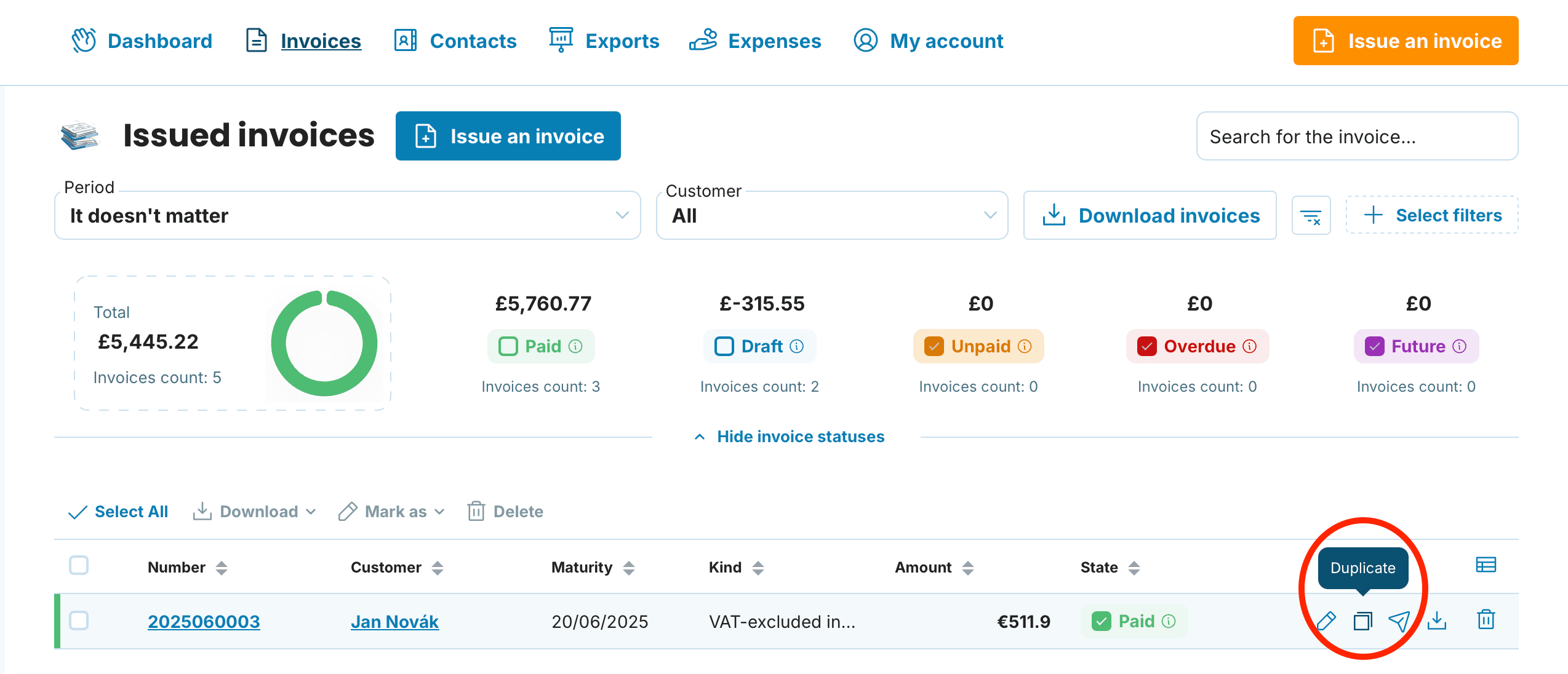
Duplicate preview

  1. A perfect copy appears instantly

    The system automatically assigns the next sequential invoice number (for instance, 2026/16 becomes 2026/17).
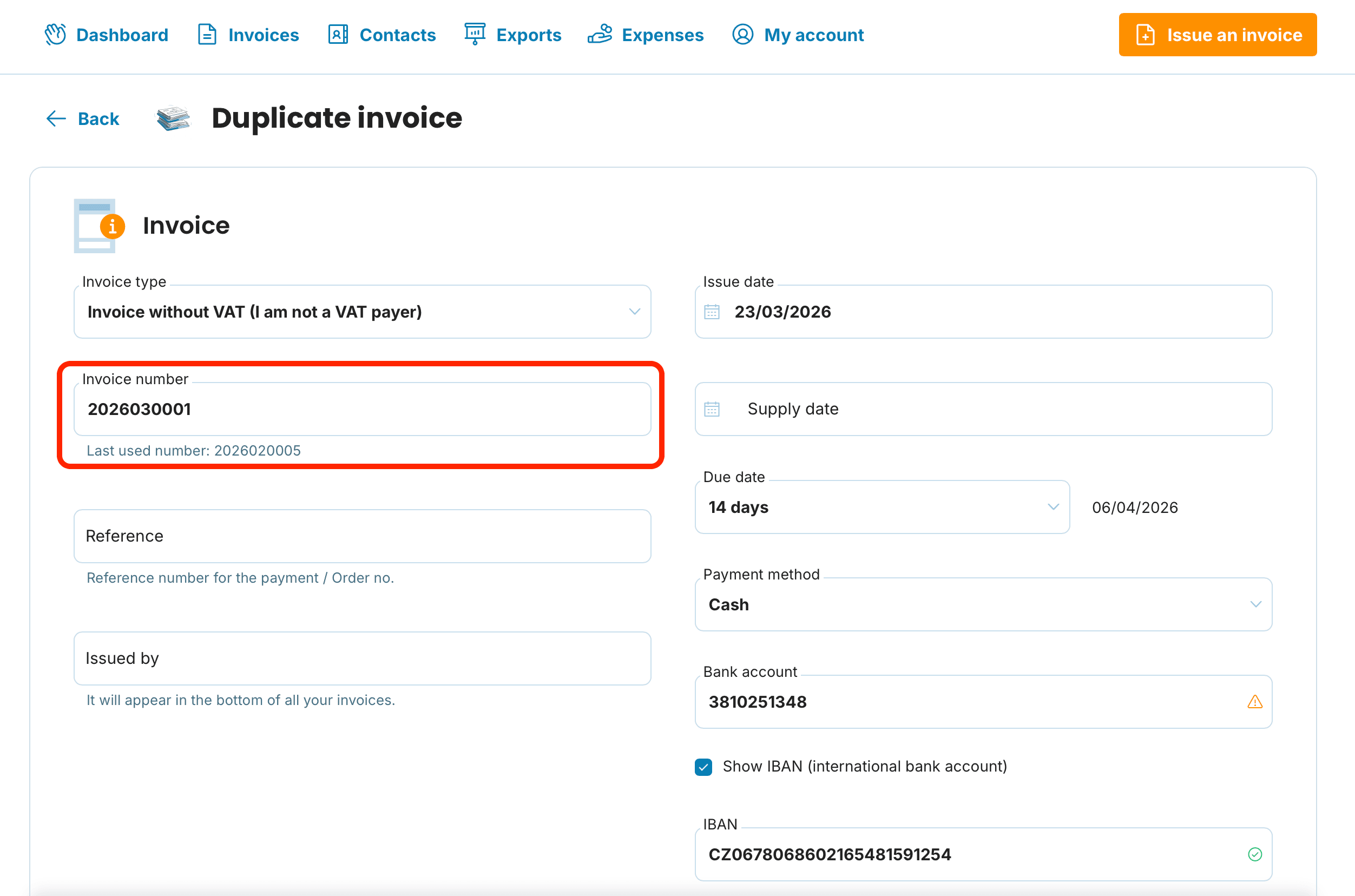
Invoice number preview

  1. Make any necessary adjustments

    Update the date, amend line items, change pricing, add notes – whatever you need.

  2. Finish up as usual – Choose to:

    Save the invoice

    Email it directly to your client

    Download it as a PDF

Box illustration

A quick heads-up about auto-filled details 🔔

When you create a new invoice, the system pulls information from your most recent one. If that happens to be a duplicated older invoice, your new document will inherit those details. It's always worth giving everything a once-over before sending.

📩 Got questions about duplicating invoices or any other MyInvoiceOnline.co.uk features? Drop us a line at [email protected] – we're here to help!

Related articles

How to Amend an Invoice: Fixing Errors With a Credit Note
28/08/2026

Spotted a mistake on an invoice? How you fix it depends on one thing: whether it's still sitting in your account or your customer already has it. While it's a draft, a change takes seconds. Once it's been sent, you'll usually put things right with a credit note rather than editing the original.

Invoice History: How to Track Whether Your Customer Received and Opened It
07/08/2026

You've sent an invoice but aren't sure whether your customer received and opened it? In MyInvoiceOnline, every invoice keeps a history of what happened to it. This guide shows where to find it and how to send invoices by email straight from the app.

Overdue Invoice: What to Do When a Client Hasn't Paid
05/08/2026

When an invoice is overdue, UK law is on your side: on business-to-business invoices you can claim statutory interest of 8% above the Bank of England base rate, plus fixed compensation of £40–£100 — automatically. Here's how to chase an overdue invoice, and how to track its status and send reminders inside MyInvoiceOnline.

How to create an invoice from an advance invoice
18/05/2026

Have you issued an advance invoice and your customer has paid the deposit? You can create the corresponding tax document in MyInvoiceOnline with a single click — the application will automatically pre-fill the line items, deduct the deposit, and link both documents together.